The latest version of multiflash tool provides a complete environment for smartphone software maintenance and flashing.
If You’ve Ever Sat In Front Of A Dead Or Stuck Android Phone Wondering Which Tool To Try Next You’re Not Alone. It’s Frustrating When You Need To Reboot To Fastboot Mode Fix Frp Or Recover A Soft‑bricked Device And Every Method Feels Slow Or Confusing. That’s Exactly Where The Multiflash Tool Starts To Feel Like A Lifesaver Because It Brings So Many Repair Options Into One Simple Place You Can Actually Understand And Control.
In This Blog You’ll See How This Tool Helps You Handle Real‑world Jobs Like Quick Action Reboots Edl Operations Partition Work And Imei Or Nv Management Without Needing Ten Different Programs. We’ll Walk Through Useful Features Such As Working With The Partition Table Using Flash And Repair Functions Dealing With Qualcomm Mediatek And Spreadtrum Platforms And More.
By The End You’ll Know Exactly What This Tool Can Do When To Use Which Option And How To Work Faster And Safer On Almost Any Supported Android Device.
What Is The Multiflash Tool?
If You Work On Android Phones Multiflash Tool Quickly Becomes The One Program You Always Open First. It Brings Together Flashing Repair And Boot‑control Options For Qualcomm Mediatek And Spreadtrum Devices In A Single Simple Window. Instead Of Juggling Different Apps You Stay Inside One Dashboard And Move From Problem To Solution.
Multiflash Tool Is Built Around Real Workshop Tasks Not Theory. You Can Jump Between Fastboot Mode Recovery And Edl With A Couple Of Clicks And See Exactly What Is Happening. That Mix Of Power And Clarity Is Why Many Small Shops Quietly Rely On It Every Day.
Multiflash Tool Latest Version Free Download
If You Are Looking For Multiflash Tool Latest Version Free Download Focus On Safety First And Speed Second. Use Forums And Websites That Are Known In The Android Repair Scene Not Random File‑sharing Links From Comments. A Bad Download Can Ruin More Than Just One Flash; It Can Infect The Whole Service Pc.
After Downloading Scan The File And If Possible Verify Any Hash Values Or Version Notes From The Uploader. Install It With Administrator Rights Then Add Android Drivers Mtk Drivers And Qualcomm Drivers Right Away. Keep A Copy Of The Installer And Your Favorite Configs On An External Drive So You Can Rebuild Your Setup If Windows Ever Fails.
Features Multiflash Tool
Quick Action:
- Reboot System
- Reboot Fastboot
- Reboot Fastbootd
- Reboot Recovery
- Mi Kick To Edl
- Lenovo / Android Kick To Edl
- Erase Frp
- Switch Slot
- Merge Super
- Extract Payload
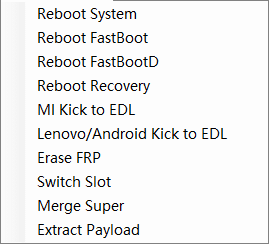
Mobile software engineering including edl mode partition merging and frp removal tools.
Edl Operation:
- Edl To System
- Edl To Recovery
- Edl To Edl
- Edl To Fbd
- Edl Factory Reset
- Edl Erase Frp
- Edl Switch Slot
- Activate Lun
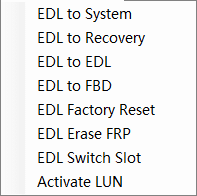
Software tools for android technicians including partition management and edl mode access.
Other:
- Device Manager
- Cmd Command Line
- Android Drivers
- Mtk Drivers
- Qualcomm Drivers
- View Log
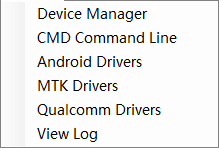
Direct access to device manager command line and essential chipset drivers for smartphone flashing.
Fastboot mode
Partition Table:
- Partition
- Operation
- Size
- File Path
- Browse
Flash And Repair Function:
- Reboot
- Switch Slot A
- FBD Flash
- Oplus Flash
- Keep Data
- Wipe Data
- Lock BL
- Erase FRP
- Cloud Parse
- Read GPT
- Extract
- Fix Frd
- White Partition
- Erase Partition
- Execute
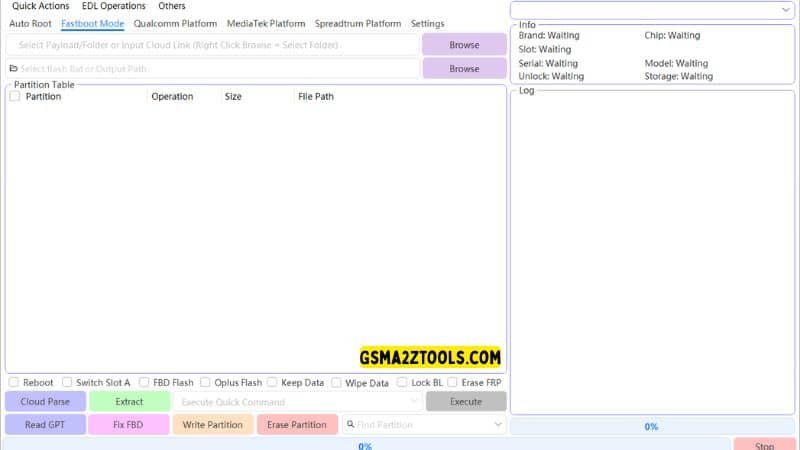
A powerful multi-platform flashing tool supporting qualcomm mediatek and spreadtrum chipsets with advanced fastboot and edl operations.
Qualcomm Platform
Cloud Auto Match
Storage type:
- Auto
- Ufs
- Emmc
Partition Table:
- Partition
- Browse
- Lun
- Size
- Start
- End
- Sector
- Start Addr
- End Addr
- File Path
Partition Flash Opetations
- Reboot
- Read GPT
- Skip Bootloader
- Generate XML
- Keep Data
- Protect
- oplus old
- oplus
- MetaSuper
- Read Partition
- Write Partition
- Frase Partition
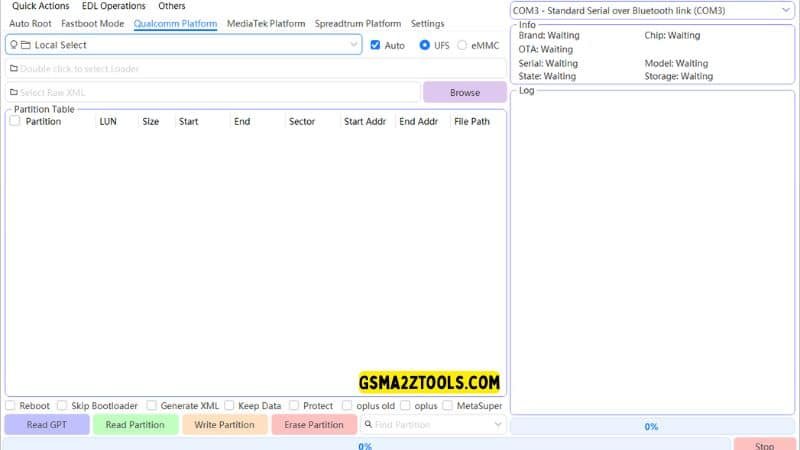
Qualcomm-specific repair module supporting both ufs and emmc storage types for deep-level android flashing.
Mediatek platform
- Auto
- Use Exploit
- Skip Userdata
- Reboot
- Partition Table
- Partition
- Type
- Size
- Address
- Filename
Partition Flash Operations
- Read GPT
- Read Partition
- Write Partition
- Erase Partition
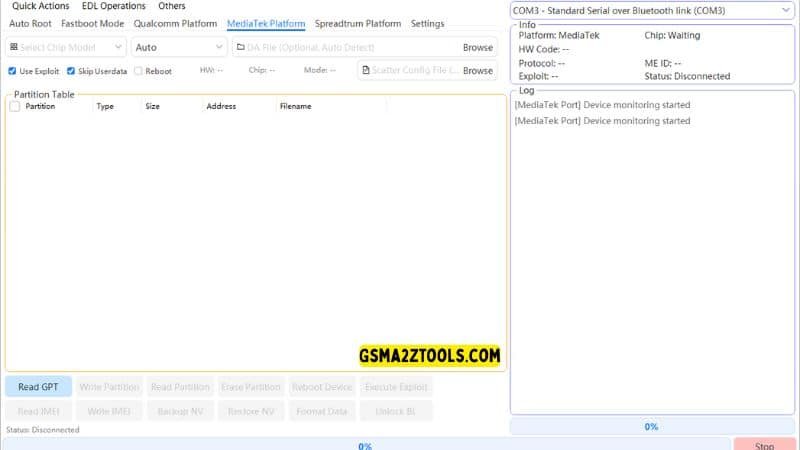
Advanced repair module for mediatek devices featuring exploit-based flashing and nv data backup options.
Spreadtrum
Auto Detect:
- SC65xx
- SC6531E
- SC6533G
- SC77xx
- SC7730
- SC7731E
- SC85xx
- SC8541E
- SC8581A
Auto Detect
Partition Table
- Partition
- Filename
- Size
- Type
- Load Address
- Offset
- Sparse
Partition Flash Operations
- Read GPT
- Write
- Read
- Erase
- Extract PAC
- Reboot
- NV Manager
- Read IMEI
- Write IMEI
- Backup NV
- Restore NV
- Factory Reset
- Unlock BL
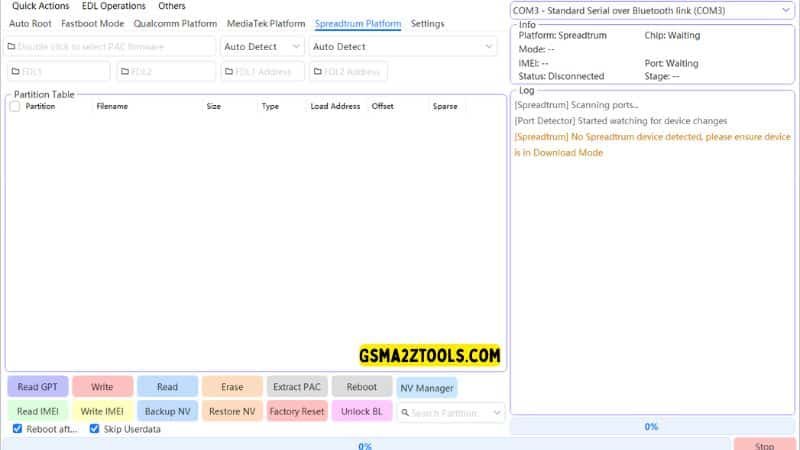
Spreadtrum devices featuring pac file extraction and nv data restoration.
Supported Platforms Qualcomm Mediatek Spreadtrum
Qualcomm Platform Support
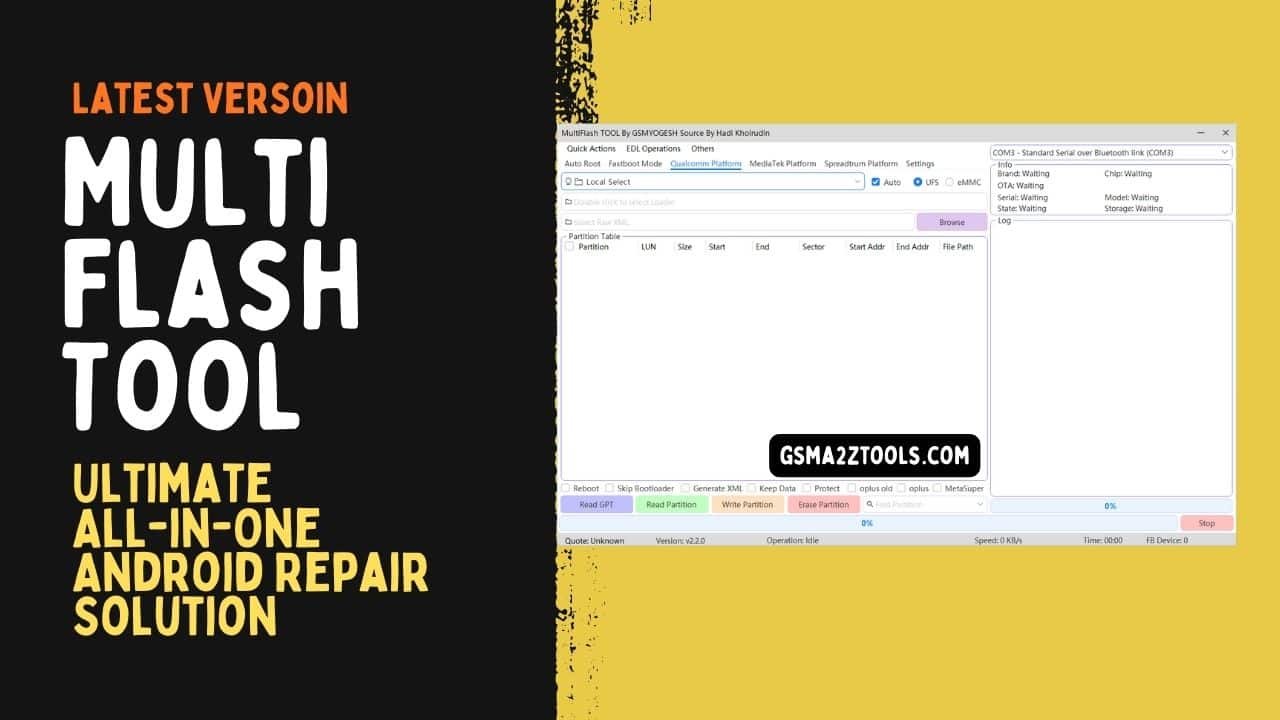
On Qualcomm Platform Devices Multiflash Tool Really Shows Its Depth. You Can Connect In Edl Mode Read The Partition Table And Choose Storage Type Such As Auto Ufs Or Emmc. For Each Partition You See Details Like Lun Size Start End Sector Start Addr End Addr And File Path Before You Touch Anything.
Partition Flash Operations Under Qualcomm Platform Include Reboot Read Gpt Skip Bootloader Generate Xml Keep Data Protect And More. These Options Let You Control Exactly What Gets Written And What Stays Untouched. When A Hard‑bricked Phone Lands On Your Desk That Kind Of Control Is Priceless.
Mediatek Platform Support
The Mediatek Platform Tab Is Built For Mtk‑based Phones That Use Scatter Files And Special Boot Tricks. You Can Run In Auto Mode Use Exploit To Connect To Secured Devices And Skip Userdata When You Want To Repair Only System Partitions. Every Partition Entry Lists Its Type Size Address And Filename So You Can Load The Right Images.
Partition Flash Operations On The Mediatek Platform Include Read Gpt Read Partition Write Partition And Erase Partition. These Tools Are Perfect For Fixing Broken Boot Images Replacing A Damaged Recovery Or Cleaning A Corrupt Userdata Area. For Busy Mtk Shops This Layout Feels Natural After Just A Few Jobs.
Spreadtrum (Spd) Support
Spreadtrum Support Is Often Missing In Other Tools But Here It Gets Its Own Space. Multiflash Tool Offers Auto Detect For Chipsets Like Sc65xx Sc6531e Sc6533g Sc77xx Sc7730 Sc7731e Sc85xx Sc8541e And Sc8581a. Once Auto Detect Finds The Right Platform You Can See The Partition Table With Filename Size Type Load Address Offset And Sparse Status.
Partition Flash Operations On Spd Let You Read Gpt Write Read Erase And Extract Pac Firmware. The Extract Pac Feature Is Especially Handy When You Only Have A Pac File And Still Want Full Control Over Each Partition. For Shops Handling Lower‑cost Models These Spreadtrum Tools Often Save The Day.
Frequently Asked Questions (FAQs)
Which Chipsets Does Multiflash Tool Support?
Multiflash Tool Supports A Large Range Of Qualcomm Mediatek And Spreadtrum Chipsets. That Coverage Includes Qualcomm Platform With Ufs And Emmc Phones Mediatek Platform Devices That Use Exploits And Scatter Files And Spreadtrum Models Detected Through Auto Detect Like Sc7731e And Sc8581a. Because Of This One Tool Can Cover A Big Part Of The Market.
What Is The Use Of Quick Action Reboots?
Quick Action Reboots Such As Reboot System Reboot Fastboot Reboot Fastbootd And Reboot Recovery Save Time And Reduce Typing Errors. Instead Of Entering Commands In Cmd Command Line You Just Click A Button And Let The Tool Handle The Details. It Also Makes It Easier For Newer Technicians Who Are Still Learning Fastboot Syntax.
When Should I Use Edl Operation Features?
Use Edl Operation When A Qualcomm Phone Is Bricked Or Not Booting Normally But Still Responds In Edl. Options Like Edl To System Edl To Recovery Edl Factory Reset Edl Erase Frp And Edl Switch Slot Are Built For Those Deep‑repair Moments. You Should Only Use Them When You Understand The Risk And Have Backups Ready.
Can Multiflash Tool Erase Frp Locks?
Yes Multiflash Tool Includes Erase Frp And Edl Erase Frp Options For Supported Devices. These Are Meant For Legal Cases Where The Owner Has Proof And Asks You To Unlock Their Phone. Misusing Frp Tools On Unknown Or Stolen Devices Is Both Unethical And Dangerous.
Do I Always Need To Read Gpt Before Flashing?
Reading Gpt Is Not Forced But It Is Strongly Recommended. Read Gpt Gives You The Exact Partition Table Structure And Helps You Line Up Images Correctly For Write Partition And Erase Partition Operations. Skipping This Step Is Like Driving At Night With Your Headlights Off.
Conclusion
Multiflash Tool Brings Together Quick Action Reboots Edl Operation Partition Table Control Nv Manager And Platform‑specific Features Into One Practical Package. Whether You Are Working On Qualcomm Platform Devices Tuning A Mediatek Platform Phone With Use Exploit And Skip Userdata Or Saving A Cheap Spreadtrum Device With Auto Detect And Extract Pac The Workflow Stays Familiar. That Consistency Is What Turns Complicated Repair Jobs Into Everyday Routines.
By Combining Backups Read Gpt Careful Partition Flash Operations And Safe Downloads Of Multiflash Tool Latest Version Free Download You Build A Solid Foundation For Your Repair Business. The Tool Does Not Replace Skill But It Amplifies The Skills You Already Have. Used With Patience And Respect Multiflash Tool Can Quietly Become The Backbone Of Your Android Service Bench.
How To Download
- Find The File Or Content You Want To Download.
- Click On The (Download Link) Provided.
- Choose The Destination Folder On Your Device To Save The Downloaded File.
- Wait For The Download To Complete And Enjoy Your Content!
MultiFlash Tool V3.0
Download Link:: Usersdrive – Mediafire – 4shared – My.pcloud – Playbook – DropBox – Mega – Vexfile – Google Drive