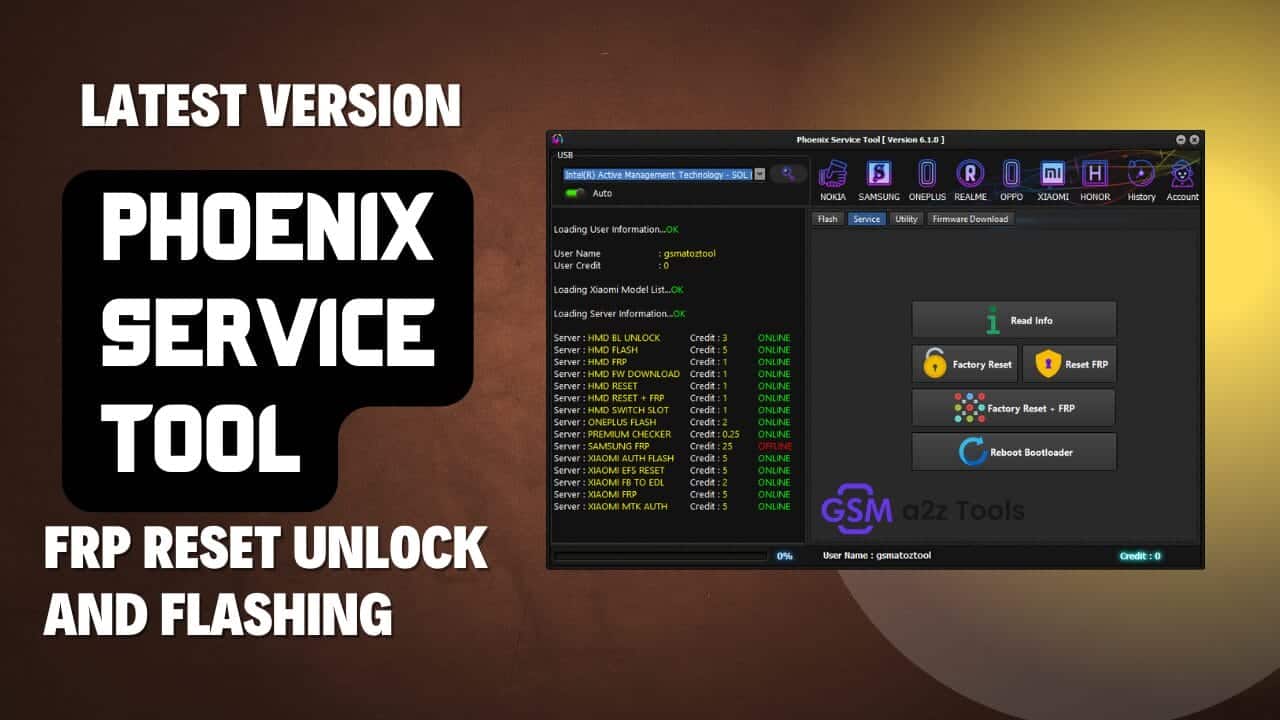
Easily reset frp locks and flash new firmware on multiple brands.
Staring At A Locked Frp Screen Is Honestly The Worst Feeling For Any Repair Technician. You Try Every Single Free Bypass Trick On Youtube But None Of Them Actually Work For Your Specific Phone Model. It Just Drives Me Completely Crazy When A Perfectly Good Motherboard Becomes Totally Useless.
Getting Your Hands On The Phoenix Service Tool Honestly Fixes This Exact Headache Right Away. This Software Easily Handles All That Annoying Nokia Firmware Flashing Alongside Samsung Frp Resets Without Any Weird Server Errors. You Can Finally Use The Official Oplus Flash Tool For Your Oppo And Realme Devices Or Manage Honor Bootloaders In Just A Few Clicks.
What Is The Phoenix Service Tool
This Desktop Application Is Basically A Lifesaver For Struggling Mobile Repair Shops. It Talks Directly To The Device Motherboard To Fix Deep Software Issues Fast. The Program Masters Heavy Nokia Flash Operations Like Firmware Load (flash) And Auto Reboot Effortlessly. You Can Also Easily Perform An Erase Frp Or Erase User Data Command To Wipe The Phone Completely Clean. It Completely Eliminates The Need To Use Dangerous Command Line Boxes.
The Utility Is Packed With Amazing Features For Dozens Of Different Brands. You Can Instantly Access The Samsung Service Tab For Read Info And Reset Frp Tasks. It Even Lets You Execute A Complete Reset Samsung Account Command In Just A Few Clicks. The Tool Also Handles Standard Nokia Service Operations Like Reset Userdata And Reset User Data + Frp Smoothly. You Just Plug In Your Usb Cable And Let The Software Do The Heavy Lifting.
Phoenix Service Tool Latest Versoin Free Download
Grabbing The Newest Installer Package Takes Barely Two Minutes On A Normal Connection. You Literally Just Download The Main File And Extract It Directly To Your Desktop. The Developer Updates This Program Constantly To Beat The Latest Android Security Patches. This Ensures You Never Get Left Behind When Brand New Phone Models Drop. It Runs Perfectly On Almost Any Standard Windows Computer.
Installing The Setup Is Incredibly Simple For Anyone. You Don’t Need Any Advanced Coding Skills To Get Everything Running Smoothly. The Dashboard Includes A Powerful Nokia Utility Section For Complex Bootloader Management. You Can Quickly Execute Bootloader Unlock Or Bootloader Relock Commands Right From The Main Menu. It Even Allows You To Switch Slot A – B Or Repair Baseband Issues Without Breaking A Sweat.
How Phoenix Service Tool Helps Technicians And Mobile Repair Shops
Professional Shops Rely On This Software To Tackle Complicated Bbk Electronics Easily. It Fully Integrates The Oneplus Oplus Flash Tool For Dev Alongside The Standard Plus Flash Tool . Technicians Also Get Full Access To The Oplus Support Tool For Deeper Diagnostic Work. It Even Handles Realme Msmdownloadtool Without Any Annoying Server Crashes. You Can Finally Stop Paying Random Online Guys For Basic Authorization Tokens.
The Software Handles Absolute Nightmares Like The Oppo Secrecy Decrypt Token Instantly. You Can Easily Launch The Oplus Flash Tool Or The Realme Sales Support Right From The Interface. It Also Supports Honor Read Info And Reset Frp Operations To Cover Even More Walk-in Customers. You Can Even Trigger A Firmware Download Nokia Or Reboot Bootloader Command Safely. Your Repair Shop Will Honestly Make So Much More Money With This Utility Installed.
Also Read
Features:
- Nokia
- Samsung
- Nokia
- Realme
- OnePlus:-
- OPPO
- Honor
How To Install It?
- Download & Extract To Your Computer.
- Now Open Folder & Run “Phoenix Service Tool.exe” As Admin
- Now The Tool Will Open
- Enjoy
How To Use?
- Run The Sam Yemen Arabic Android Tool From The Desktop Shortcut.
- Select The Chipset Tab According To Your Android Device.
Nokia
Flash:-
- Firmware Load (Flash)
- Erase FRP
- Erase User data
- Auto Reboot
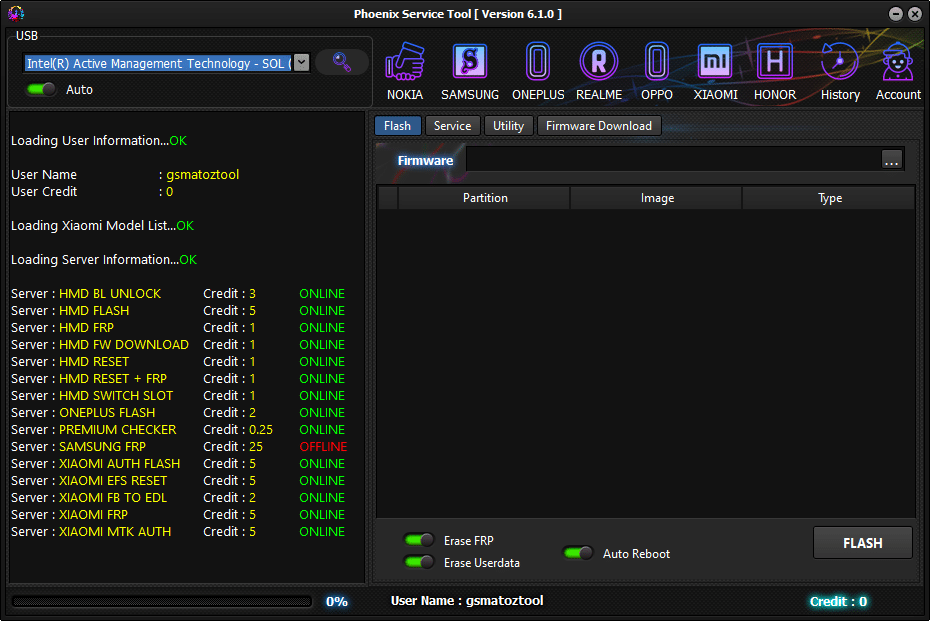
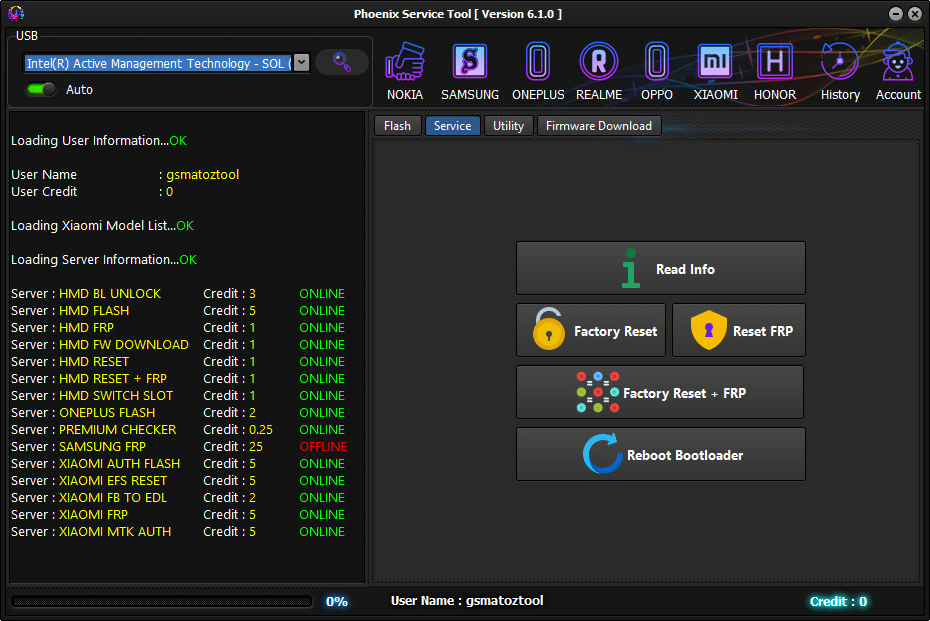
Service:-
- Read Info
- Reset FRP
- Reset UserData
- Reset User data + FRP
- Reboot Bootloader
- Firmware Download Nokia
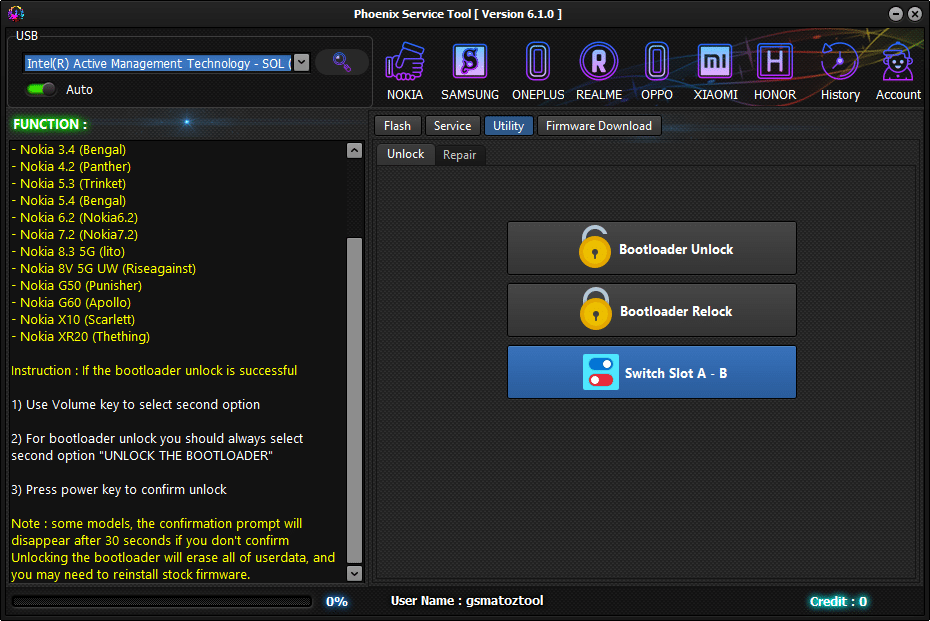
Utility
- Unlock
- Bootloader Unlock
- Bootloader Relock
- Switch Slot A – B
- Repair
Samsung
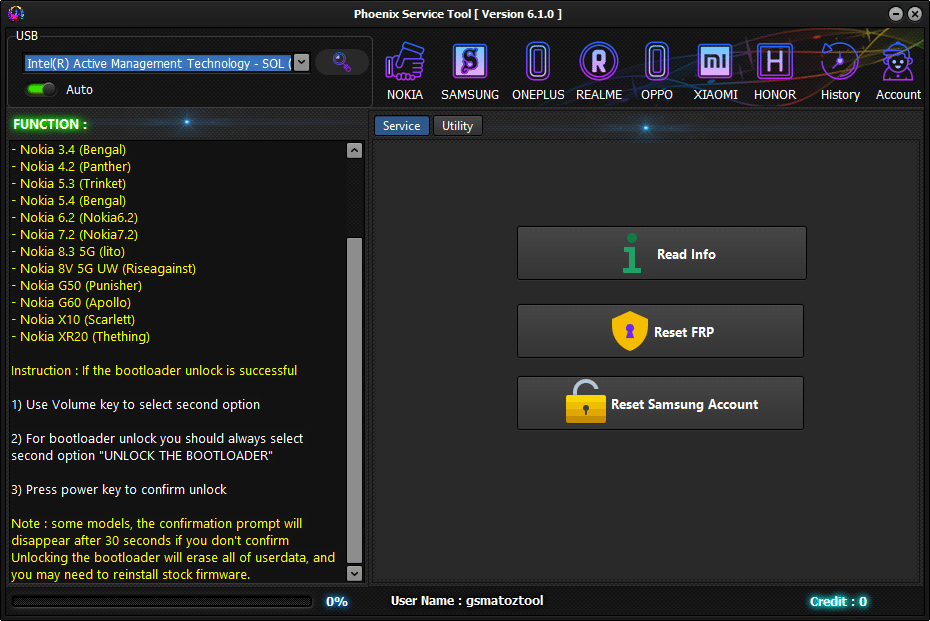
Service:-
- Read Info
- Reset FRP
- Reset Samsung Account
OnePlus:-
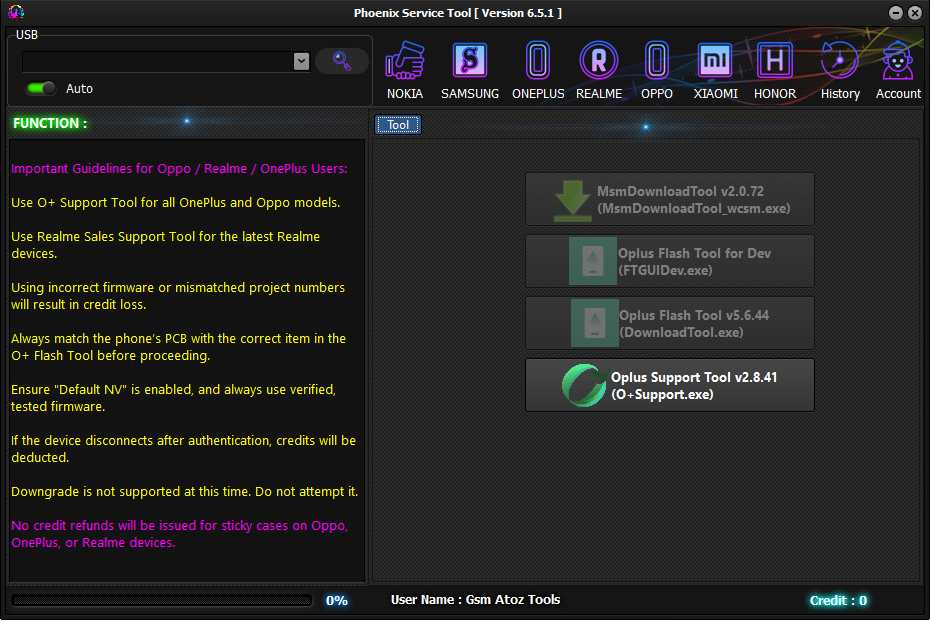
- Oplus Flash Tool for Dev
- (FTGUlDev.exe)
- plus Flash Tool v5.6.44
- (DownloadTool.exe)
- Oplus Support Tool v2.8.41(O+Support.Exe)
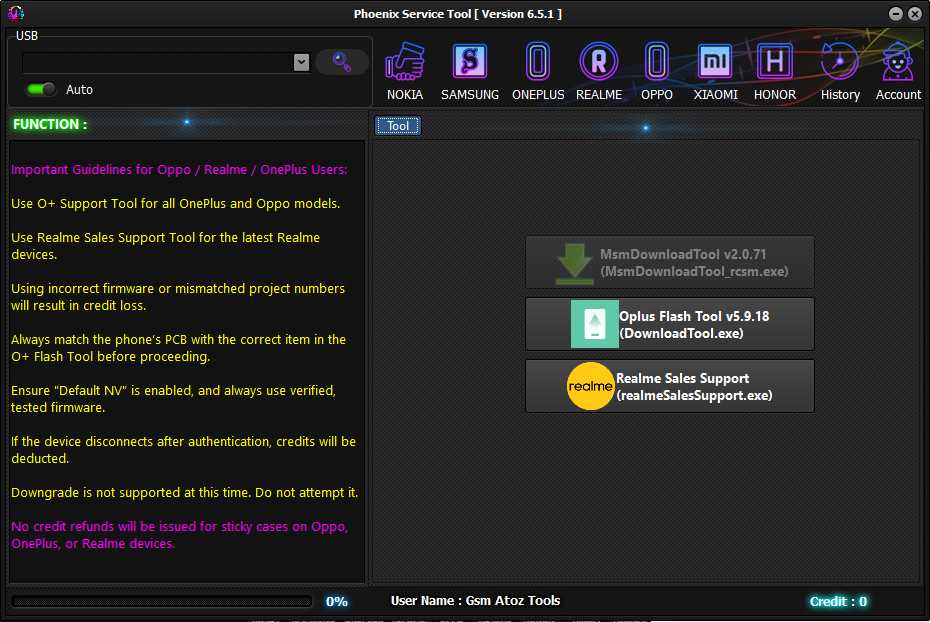
Realme:-
- MsmDownloadTool v2.O.71
- (Msm down loadTooI_rcssm .exe)
- plus Flash Tool v5.6.44
- (DownloadTool.exe)
- Realme Sales Support(RealmeSalesSupport.Exe)
OPPO:-
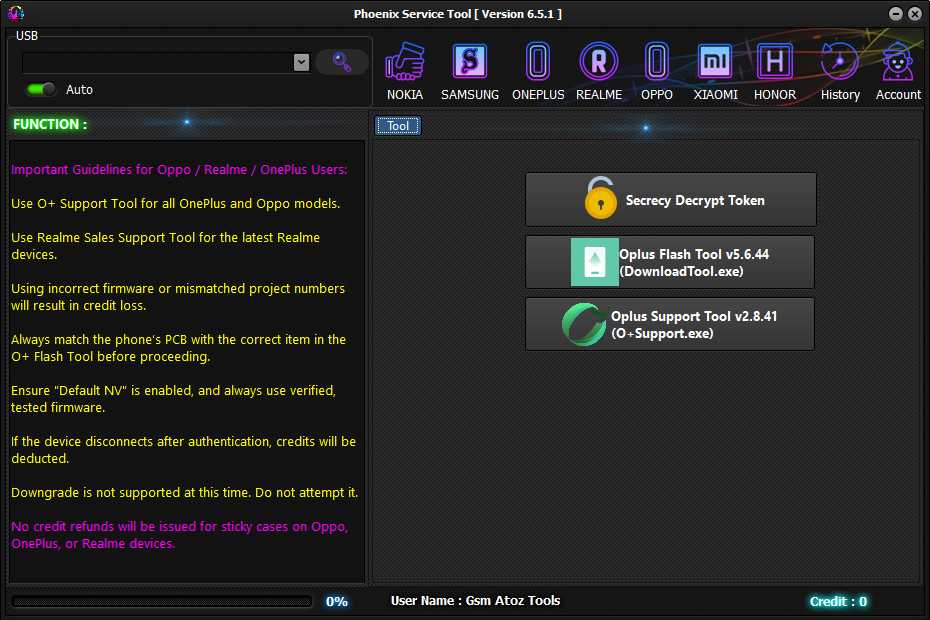
- Secrecy Decrypt Token
- Oplus Flash Tool “5.6.44
- (DownloadTool.exe)
- Oplus Support Tool v2.8.41(O+Support.Exe)
Honor
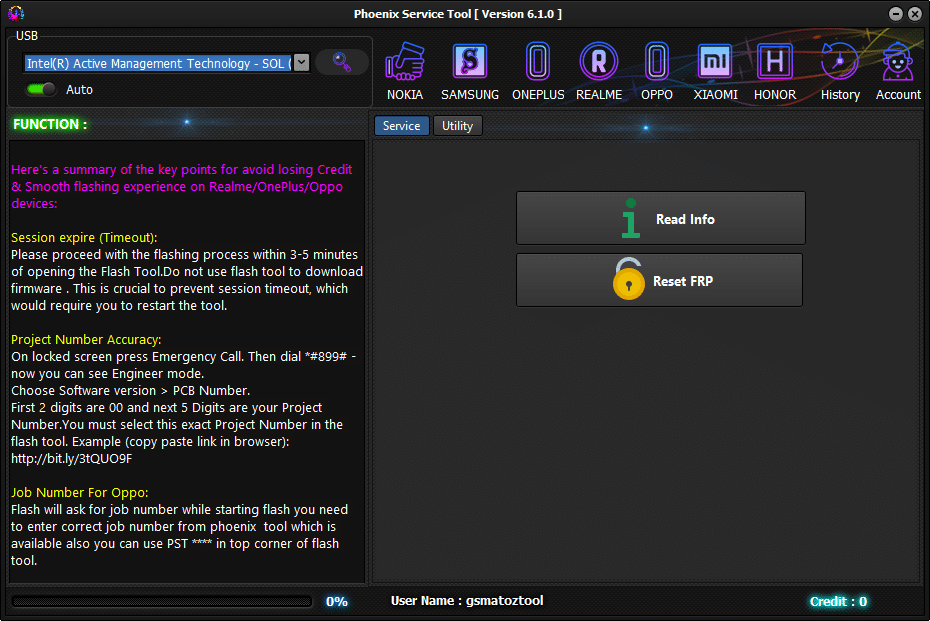
- Read Info
- Reset FRP
whats New?
Phoenix Service Tool V8.6.1
OnePlus Added
- Oplus Support Tool v2.8.41(O+Support.Exe)
Realme Added
- Realme Sales Support(RealmeSalesSupport.Exe)
OPPO Added
- Oplus Support Tool v2.8.41(O+Support.Exe)
Frequently Asked Questions (FAQs)
Does This Tool Actually Work Smoothly On Windows 11?
Yeah It Runs Totally Fine On Windows 11 And Older Versions Too. You Literally Just Install The Main Exe File And Plug Your Locked Phone In.
What Phones Can I Actually Unlock With This Software?
It Covers A Huge Chunk Of Daily Shop Repairs Including Nokia And Samsung Stuff. You Can Also Flash Bbk Devices Like Oneplus Realme And Oppo Without Much Hassle.
Can It Really Remove A Stuck Google Account Screen?
That Is Honestly The Main Reason Most Guys Use It. You Just Hit The Reset Frp Button And The Phone Completely Forgets The Old Owner Account.
Do I Have To Buy Server Credits To Use The Flash Tools?
Nope This Software Actually Skips Those Annoying Paid Server Tokens For Most Supported Models. You Do The Whole Decryption Process Right There On Your Own Pc.
Will My Customer Lose Their Photos During A Reset?
Flashing New Firmware Or Hitting Erase User Data Will Definitely Wipe Everything Clean. I Always Tell People Their Pictures Are Gone Before I Even Touch The Device.
Final Thoughts
Dealing With A Locked Bootloader Used To Mean Tossing The Phone Away Forever. The Phoenix Service Tool Honestly Changes Everything For Everyday Mobile Repair Technicians. You Get A Totally Safe Way To Flash Firmware And Bypass Strict Security Servers. Go Ahead And Extract The Newest Version Today To See The Massive Difference. Fixing Locked Phones Is Actually Fun Again When You Use Proper Desktop Software.
How To Download
- Find The File Or Content You Want To Download.
- Find The Download Page And Don’t Click Button And Click Only The (Download Link)
- Choose The Destination Folder On Your Device To Save The Downloaded File.
- Wait For The Download To Complete And Enjoy Your Content!
Phoenix Service Tool V8.6.1
Download Link:: Usersdrive – Mediafire – 4shared – My.pcloud – DropBox – Mega – Vexfile – Google Drive