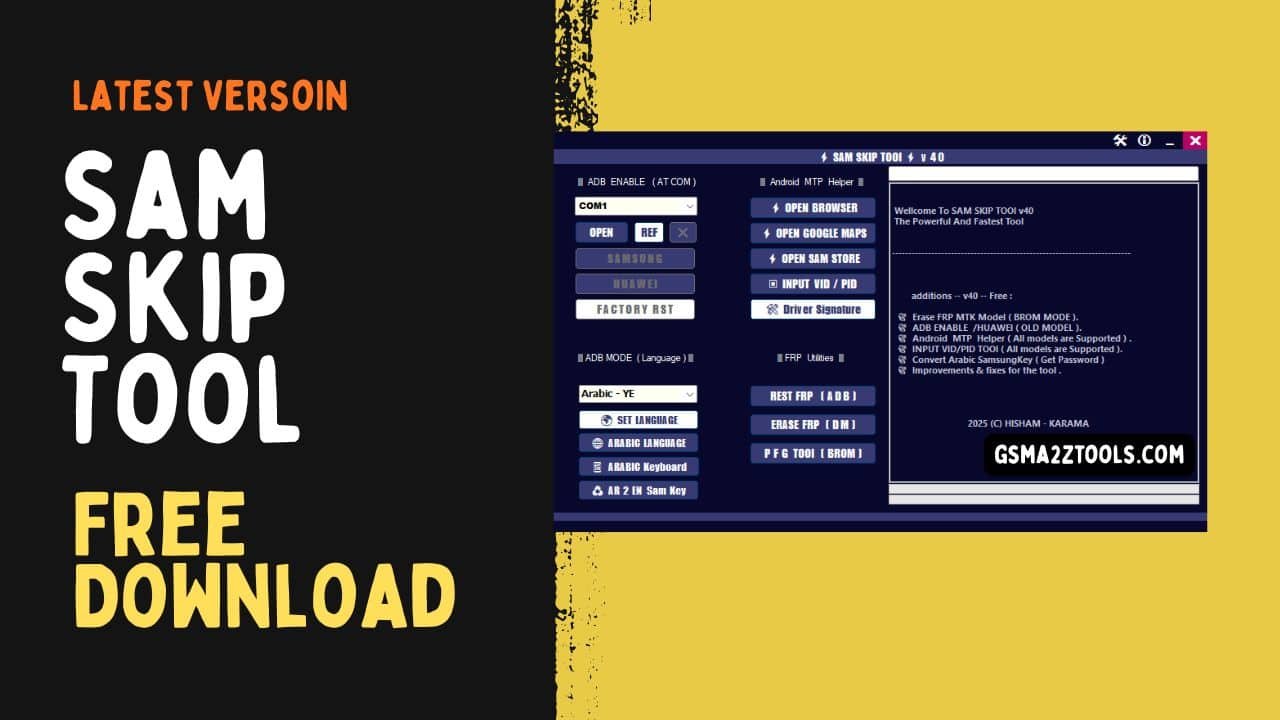
Sam skip tool main dashboard displaying adb enable features android mtp helper tools language mode options and frp reset utilities.
Are You Tired Of Dealing With The Endless Frustration Of Locked Samsung Phones Or Complex Settings? If You’ve Been Struggling With Issues Like Frp (factory Reset Protection) Enabling Adb Mode Or Fixing Language Problems On Your Device You’re Not Alone. These Problems Can Feel Like A Never-ending Battle But There’s Good News: There’s An Easy Way To Fix Them Without Any Tech Headaches.
In This Blog Post We’ll Dive Into How The Sam Skip Tool Can Solve These Common Smartphone Problems. From Enabling Samsung Adb And Huawei Adb To Resetting Frp Or Even Setting Up An Arabic Keyboard We’ll Walk You Through How This Tool Can Make Your Life Easier. If You’re Looking For A Solution To Quickly Solve These Issues You’ve Come To The Right Place!
What Is The Sam Skip Tool
The Sam Skip Tool Is A Versatile Software Designed To Help Users Troubleshoot And Unlock Various Samsung Devices. Whether You’re Dealing With Adb-related Issues Or Need To Perform A Factory Reset This Tool Is The Solution. It Works Seamlessly With Features Like Samsung Adb Enable Huawei Adb Enable And More Giving You The Power To Fix Problems Without Needing Technical Expertise.
One Of Its Major Benefits Is That It Simplifies Advanced Processes Including Com Port Selection Open Port And Refresh Port Which Are Often Necessary For Debugging Samsung Devices. In Addition To Resolving Adb And Frp (Factory Reset Protection) Issues The Sam Skip Tool Can Assist In Managing Device Languages Through Its Adb Mode (language) And Set Language Options.
This Makes It Perfect For Users Who Want To Set Up Their Device In Languages Like Arabic Language Or Want To Enable Features Like The Arabic Keyboard. The Tool’s Flexibility Makes It An Essential Tool For Anyone Wanting To Interact With Samsung Devices Efficiently.
Also Read
Sam Skip Tool Latest Version Free Download
The Sam Skip Tool Latest Version Is Now Available For Free Download And It Comes With Several Improvements That Make It Even More Useful For Samsung Smartphone Owners. With This Updated Version Users Can Take Advantage Of New Features Like Com Port Selection Open Port And Refresh Port Which Allow For Better Device Management And Troubleshooting.
The Updated Tool Also Supports A Wider Range Of Samsung And Huawei Devices Ensuring That More Users Can Benefit From Its Features. Downloading The Sam Skip Tool Latest Version Is Easy And Free. Simply Visit The Official Download Link And You’ll Be Able To Install The Tool On Your Computer Or Mobile Device.
Once Installed You Can Use It To Reset Frp (adb) Fix Issues Like Driver Signature Fix And Even Enable Special Modes Like Pfg Tool (brom Mode) For More Advanced Users. This Tool Offers An Excellent Solution For Anyone Who Needs To Manage Their Samsung Phone Or Resolve Technical Problems Quickly And Without Hassle.
Key Features
ADB Enable (AT COM)
- COM Port Selection
- Open Port
- Refresh Port
- Samsung ADB Enable
- Huawei ADB Enable
- Factory Reset Option
Android MTP Helper
- Open Browser
- Open Google Maps
- Open Samsung Store
- Input VID / PID
- Driver Signature Fix
ADB Mode (Language)
- Set Language
- Arabic Language
- Arabic Keyboard
- AR to EN Samsung Key
FRP Utilities
- Reset FRP (ADB)
- Erase FRP (DM Mode)
- PFG Tool (BROM Mode)
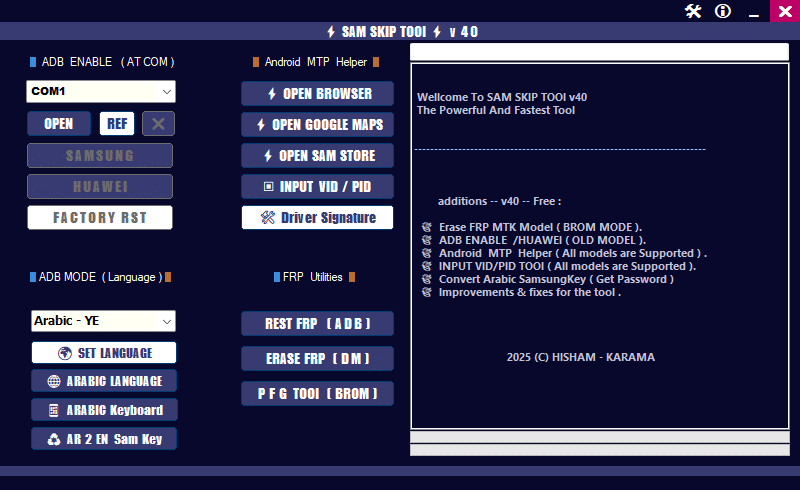
Sam skip tool main dashboard showing adb enable controls mtp helper functions language tools and frp reset options for samsung and huawei devices.
Benefits Of Using The Sam Skip Tool
The Main Benefit Of The Sam Skip Tool Is Its Simplicity. You Don’t Need To Be A Tech Expert To Fix Common Samsung Issues Like Frp Lock Or Adb Connection Problems. The Tool Saves Time By Automating The Process Allowing You To Focus On Other Tasks.
It Also Supports Various Samsung Models So Whether You Have A Samsung Galaxy Or Another Device It Will Work Smoothly. With The Added Benefit Of Being Able To Reset Or Erase Frp It’s An Essential Tool For Many Samsung Users.
Troubleshooting With The Sam Skip Tool
If You’re Facing Issues While Using The Sam Skip Tool Check Your Device’s Connection First. Ensure That Your Usb Drivers Are Up To Date And That Your Device Is Properly Connected In Adb Mode. If You’re Having Trouble With Frp The Tool Has Built-in Features To Help Reset Or Erase It.
The Tool Also Helps When You Have Trouble With The Com Port Selection Or Need To Refresh The Port. Just Follow The Troubleshooting Steps Within The Tool And You Should Be Able To Resolve The Issue Quickly.
Why Choose The Sam Skip Tool
The Sam Skip Tool Stands Out Because It’s Free Simple To Use And Effective. It Offers Solutions To Some Of The Most Common Samsung Device Issues Such As Adb Mode Problems Frp Resets And Mtp Helper Fixes. By Downloading The Latest Version You Ensure You’re Using The Most Up-to-date Tool For Your Device.
It’s Designed For Both Beginners And More Experienced Users Who Need Quick Fixes For Their Samsung Phones. Whether You Need To Set Your Language To Arabic Or Reset A Device The Sam Skip Tool Has You Covered.
How To Install It?
- Download The Tool From The Provided Link.
- Extract All Files To Your Desktop.
- Disable Your Antivirus Program Temporarily.
- Install The Setup Files By Following The Simple On-screen Steps.
- Check That The Necessary Drivers Are Installed.
- Connect Your Device To The Computer.
- Perform The Needed Operations And Enjoy Using The Tool Free Of Charge.
Frequently Asked Questions (FAQs)
What Is The Sam Skip Tool?
The Sam Skip Tool Helps Bypass Issues Like Frp And Adb Connection Problems On Samsung Devices Making It Easier To Manage Your Phone.
Is The Sam Skip Tool Free To Download?
Yes The Sam Skip Tool Is Available For Free Download From Trusted Sources.
Can I Use The Sam Skip Tool On All Samsung Devices?
Yes The Tool Supports A Wide Range Of Samsung Models Including Newer Ones As Long As They Meet The Requirements.
How Do I Reset Frp With The Sam Skip Tool?
You Can Reset Frp By Following The On-screen Instructions In The Tool Which Helps You Unlock The Device.
How Do I Enable Adb Mode Using The Sam Skip Tool?
Simply Connect Your Samsung Device To Your Pc Open The Tool And Select The Option To Enable Adb Mode.
How To Download
- Find The File Or Content You Want To Download.
- Click On The (Download Link) Provided.
- Choose The Destination Folder On Your Device To Save The Downloaded File.
- Wait For The Download To Complete And Enjoy Your Content!
Sam Skip Tool v40
Download Link:: Usersdrive – Mediafire – 4shared – My.pcloud – Playbook – DropBox – Mega – Vexfile – Google Drive
Sam Skip Tool v41
Download Link:: Usersdrive – Mediafire – 4shared – My.pcloud – Playbook – DropBox – Mega – Vexfile – Google Drive