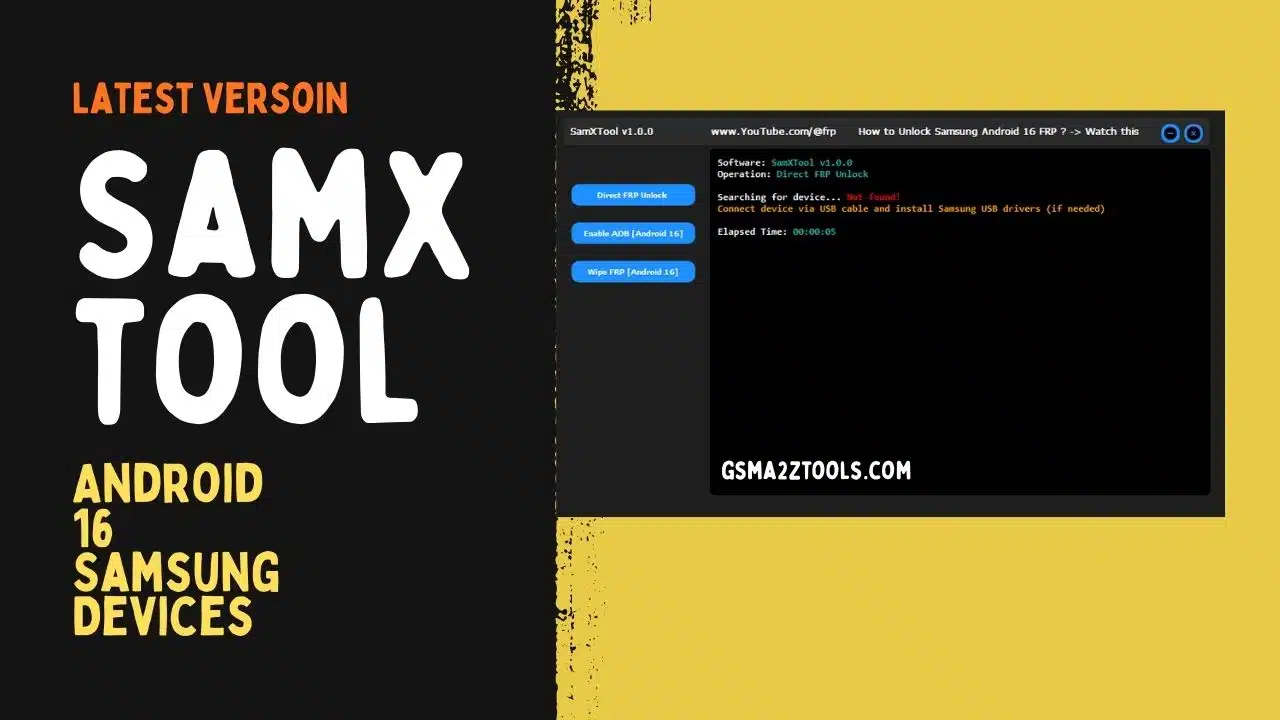
Samxtool with direct frp unlock enable adb (android 16) and wipe frp options for samsung devices.
You’re Probably Here Because Another Samsung Phone Is Stuck On Frp And Nothing You’ve Tried Feels Stable Or Clear. Maybe You’ve Wasted Hours On Random Tricks And Patched Apps That Only Work On Some Models. At This Point You Just Want One Clean Tool That Can Handle Samxtool Direct Frp Unlock Enable Adb (android 16) And Wipe Frp (Android 16) Without Turning Every Job Into A Headache.
In This Blog You’ll See Exactly How Samxtool Works And When To Use Each Option For Real-world Frp Cases. I’ll Walk You Through Direct Frp Unlock For Quick Wins How Enable Adb (Android 16) Opens New Doors And When Wipe Frp (android 16) Is The Right Final Step. By The End You’ll Have A Clear Practical Process You Can Follow On Your Next Locked Samsung Phone.
What Is The Samxtool
Samxtool Is A Lightweight Windows Utility Designed To Help You Handle Samsung Frp And Basic Unlock Tasks In A Simple Way. Instead Of Jumping Between Different Apps And Scripts You Get Key Options Like Direct Frp Unlock Enable Adb (android 16) And Wipe Frp (android 16) In One Interface. It’s Built With Mobile Technicians In Mind So The Layout Is Straightforward And The Logs Are Easy To Understand.
With Samxtool You Can Start With The Safest Quickest Methods And Only Move To Heavier Actions When You Really Need To. This Step‑by‑step Workflow Helps You Avoid Unnecessary Data Loss And Cuts Down The Time You Spend On Each Locked Samsung Phone. Over A Full Day In The Shop That Can Make A Big Difference In Both Stress And Earnings.
Download The Samxtool Latest Versoin
To Use Samxtool Effectively You Should Always Download The Latest Versoin From A Trusted Source Like A Well‑known Gsm Forum The Original Developer Thread Or A Reputable Repair Community. New Builds Often Improve Direct Frp Unlock Stability Expand Support For Newer Samsung Models And Refine Features Like Enable Adb (android 16) And Wipe Frp (android 16). Avoid Random File‑sharing Links Because They Can Be Outdated Modified Or Unsafe For Your Pc.
After Downloading Place The Samxtool Archive In A Dedicated “tools” Folder And Extract It With Winrar Or 7‑zip. Install Or Update Samsung Usb Drivers Restart Your Computer Then Run Samxtool As Administrator To Ensure Proper Device Detection. Once The Tool Opens Cleanly And Sees Your Connected Phone You’re Ready To Start Using Its Frp And Unlock Options In Real
Preparing A Samsung Phone Before Using Samxtool
Before You Launch Samxtool Take A Moment To Inspect The Phone Itself. Check That It Powers On Shows The Frp Lock Screen And That The Volume And Power Buttons Work Properly. If Possible Charge The Battery To At Least 50% So It Doesn’t Die In The Middle Of An Unlock.
Also Look For Physical Damage Around The Usb Port Because A Loose Connector Can Ruin Any Frp Attempt. Clean The Port If Needed And Always Use A Short Original Or High‑quality Cable. These Small Checks Save You From Blaming The Tool When The Real Problem Is Just A Bad Connection.
Key Features
- Direct Frp Unlock
- Enable Adb (Android 16)
- Wipe Frp (Android 16)
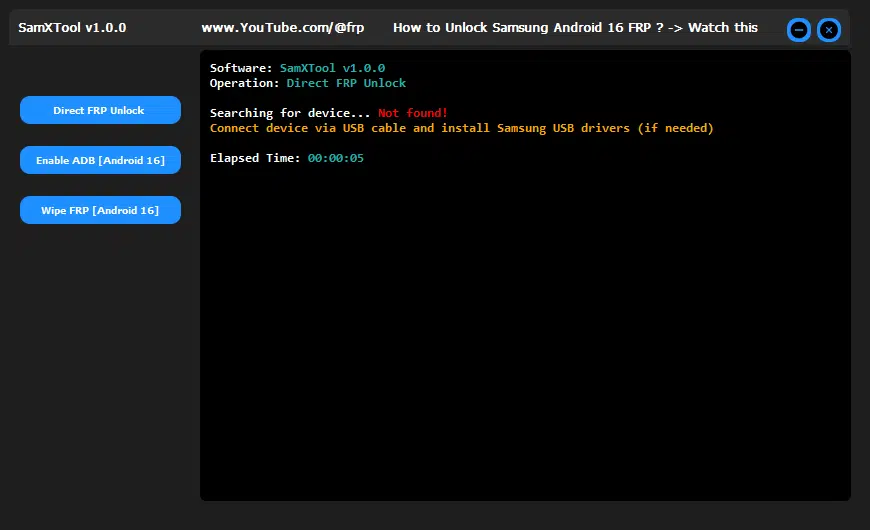
Samxtool direct frp unlock enable adb (android 16) and wipe frp options for samsung devices.
Keeping Samxtool Updated For New Security Patches
Samsung Updates Their Security Frequently Which Can Break Older Frp Methods Overnight. That’s Why You Should Check For New Samxtool Versions Regularly On Trusted Forums Or The Official Release Thread. Each Update May Improve Direct Frp Unlock Or Bring Better Handling For Android 16 Devices.
Make It A Habit To Back Up Your Current Version And Then Test The New One On A Non‑critical Phone. If It Works Well Roll It Out For Daily Jobs In Your Shop. Staying Updated Keeps You Ahead Of Failing Methods And Frustrated Customers.
Choosing Between Direct Frp Unlock And Other Methods
When You Open Samxtool It’s Tempting To Tap Direct Frp Unlock On Every Device. On Compatible Phones This Can Work Beautifully And Clear Frp In A Single Run. However Newer Android 16 Models Or Heavily Patched Firmware May Block This Shortcut.
In Those Cases It’s Smarter To Move To Enable Adb (android 16) Or Wipe Frp (android 16) Instead Of Spamming The Same Button. Think Of Direct Frp Unlock As Your “quick Win” Option Not Your Only Plan. This Mindset Helps You Stay Calm And Flexible When The First Attempt Fails.
How To Install It?
- Download The Tool From The Provided Link.
- Extract All Files To Your Desktop.
- Disable Your Antivirus Program Temporarily.
- Install The Setup Files By Following The Simple On-screen Steps.
- Check That The Necessary Drivers Are Installed.
- Connect Your Device To The Computer.
- Perform The Needed Operations And Enjoy Using The Tool Free Of Charge.
Frequently Asked Questions (FAQs)
What Is Samxtool Used For?
Samxtool Is Mainly Used To Handle Samsung Frp And Basic Unlock Tasks. It Gives You Options Like Direct Frp Unlock Enable Adb (android 16) And Wipe Frp (android 16) In One Simple Tool.
Is Samxtool Free To Download?
Most Releases Of Samxtool Are Shared For Free On Gsm Forums And Repair Communities. You Should Always Download It From Trusted Sources To Avoid Modified Or Unsafe Versions.
Do I Need Special Drivers To Use Samxtool?
Yes You Need Proper Samsung Usb Drivers Installed On Your Windows Pc. Without Them The Phone May Not Be Detected Correctly And Frp Operations Can Fail.
Will Using Samxtool Erase Data On The Phone?
Some Methods Especially Wipe Frp (android 16) Can Lead To Data Loss. Always Start With The Lightest Method First And Inform The Owner About Possible Data Wipe Before You Proceed.
Can Samxtool Unlock Every Samsung And Every Android Version?
No Frp Tool Can Guarantee 100% Support For All Models And Security Patches. Keeping Samxtool Updated And Testing Methods Like Direct Frp Unlock And Enable Adb (android 16) On Each Device Is Still Necessary.
Final Thoughts
Once You Understand How Samxtool Thinks Samsung Frp Jobs Feel Far Less Stressful. You Know When To Try Direct Frp Unlock When To Rely On Enable Adb (android 16) And When Wipe Frp (android 16) Becomes Necessary. Instead Of Random Guessing Every Move Has A Reason Behind It.
Over Time This Confidence Shows In How Quickly You Handle Customers And How Rarely You Get Stuck. Keep Your Setup Clean Your Tool Updated And Your Habits Safe And Ethical. With That Foundation Samxtool Can Easily Become One Of The Most Valuable Repair Tools On Your Desk.
How To Download
- Find The File Or Content You Want To Download.
- Click On The (Download Link) Provided.
- Choose The Destination Folder On Your Device To Save The Downloaded File.
- Wait For The Download To Complete And Enjoy Your Content!
Samxtool V1.0
Download Link:: Usersdrive – Mediafire – 4shared – My.pcloud – DropBox – Mega – Vexfile – Google Drive