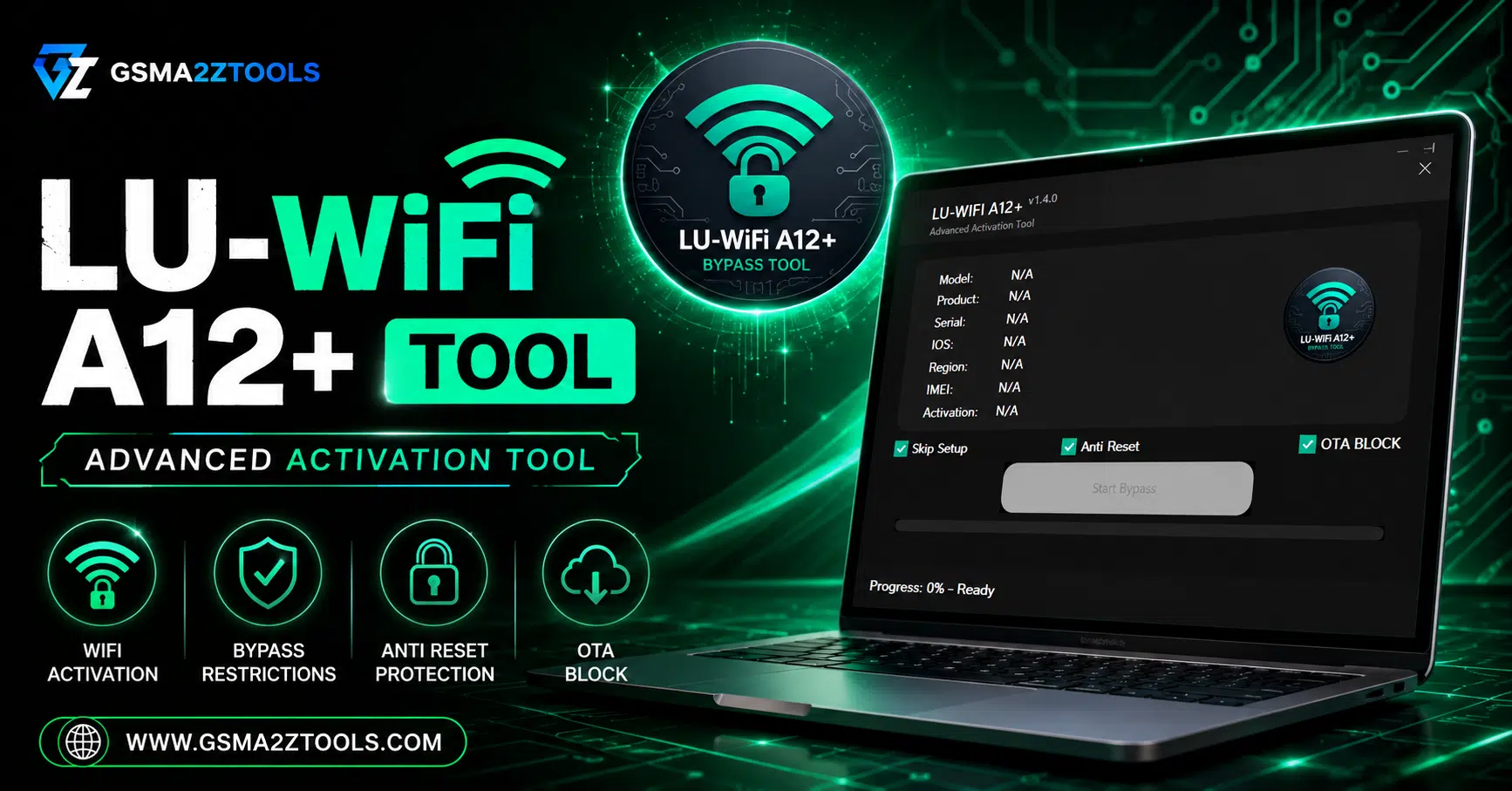
The lu wifi a12+ tool provides advanced unlocking and icloud bypass functions for supported devices.
You Know That Feeling When You Pick Up A Second-hand Iphone Power It On And Hit A Wall A White Icloud Activation Screen Staring Right Back At You. No Way In No Way Around It. It’s One Of The Most Common And Frustrating Situations Iphone Users Face And Finding A Reliable Trustworthy Solution Isn’t Easy.
That’s Exactly Where The Lu Wifi A12+ Tool Comes In. Built Specifically For A12+ Apple Devices This Is A Paid Icloud Activation Lock Bypass Tool That Lets You Regain Access To Your Device Without Needing A Jailbreak And Without Requiring Advanced Technical Skills. Whether You’re On Ios 15 Or The Latest Ios 26.1 The Tool Has You Covered.
In This Guide You’ll Find Everything You Need From What The Tool Actually Does To Which Devices It Supports To A Step-by-step Walkthrough Of The Bypass Process. You’ll Also Find A Version History A Comparison With Other Popular Tools And Honest Answers To The Questions People Ask Most. By The End You’ll Know Exactly Whether This Tool Is Right For Your Situation And How To Use It Properly.
What Is The Lu Wifi A12+ Tool?
If You’ve Ever Been Stuck On An Icloud Activation Screen With No Way Out You Know How Frustrating It Feels. The Lu Wifi A12+ Tool Is A Paid Icloud Bypass Solution Built Specifically For A12+ Iphones And Ipads. It Lets You Bypass The Icloud Activation Lock And Regain Access To Your Device Without A Jailbreak — And With A Reliable Professionally Maintained Tool Behind It.
Unlike Older Tools That Stop Working After A System Update The Lu-wifi A12+ Tool Is Actively Maintained. It Supports Ios Versions From Ios 15 All The Way Up To Ios 26.1 Which Makes It One Of The Most Up-to-date Bypass Tools Available Right Now. Whether You’re Dealing With A Second-hand Phone Or A Device Stuck After A Reset This Tool Gives You A Real Working Path Forward.
Also Read
Key Features Of Lu Wifi A12+
What Makes This Tool Stand Out? It’s Not Just That It Works It’s How It Works. The Lu Wifi A12+ Tool Combines Activation Bypass Device Detection And A Clean Interface Into One Lightweight Package. You Don’t Need To Be A Tech Expert To Use It And You Don’t Need Expensive Hardware Or Software Subscriptions.
Here’s A Quick Look At What’s Packed Into The Tool:
Activation Bypass Support
Bypasses Icloud Activation On All Supported A12+ Devices Quickly And Cleanly.
Wide Ios Compatibility
Works Across Ios 15 Through Ios 26.1 — One Of The Broadest Ranges Available.
Clean Simple Interface
Easy Layout With Clear Buttons. No Confusing Menus Or Cluttered Screens.
Device Support Checker
Detects Your Device Automatically And Confirms Compatibility Before Proceeding.
Better Stability
Runs Smoother Than Earlier Versions — Fewer Crashes And Fewer Errors Mid-process.
Full Access After Bypass
Use The App Store Receive Notifications Sign In Via Backup — Full Functionality Restored.
Activation Bypass Support
The Core Feature Here Is The Icloud Activation Bypass Itself. When Your Device Gets Locked — Whether Because Of A Previous Owner’s Account A Failed Reset Or Any Other Reason Lu Wifi A12+ Steps In. It Supports The Tethered Bypass Method Which Means The Bypass Is Applied During The Boot Process (quick Flash Boot). Once Done Your Device Behaves Like A Normally Unlocked Phone Giving You Access To The App Store Notifications And Icloud Sign-in Via Backup.
Wide Ios Version Compatibility
The Tool Officially Supports Ios 15 All The Way Up To Ios 26.1. That’s A Huge Range. Most Free Bypass Tools Drop Support The Moment Apple Pushes A Major Update — But The Lu wifi A12+ Tool Gets Updated Regularly To Keep Up. Whether Your Device Is Running An Older Firmware Or The Very Latest Release There’s A Good Chance This Tool Covers It.
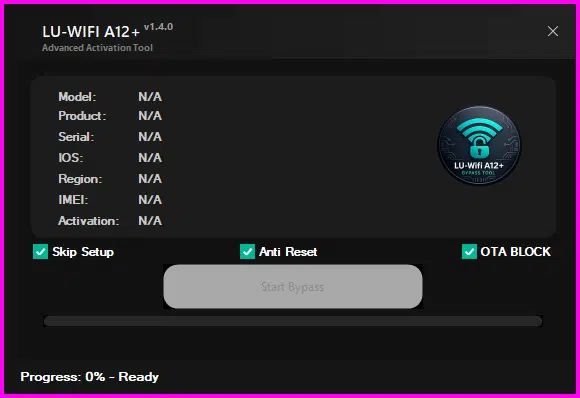
Lu-wifi a12+ showing device info panel skip setup anti reset and ota block options — ready to start the icloud bypass process on a12+ devices.
Supported Devices — Is Yours On The List?
The Lu Wifi A12+ Tool Is Designed For Apple Devices That Run The A12 Bionic Chip Or Any Newer Chip In That Family. That Covers A Wide Range Of Iphones And Ipads Released From 2018 Onward. Before You Try The Bypass The Tool Includes A Built-in Device Support Checker That Confirms Your Specific Model Is Compatible Which Saves You From Wasting Time On An Unsupported Device.
Here’s A General Breakdown Of Which Devices Are Supported:
| Device Category | Models Covered | Status |
|---|---|---|
| iPhone (A12) | Iphone Xs Xs Max Xr | Supported |
| iPhone (A13–A17) | Iphone 11 Through Iphone 15 Series | Supported |
| iPad (A12+) | iPad Pro, iPad Air, iPad mini (2018–2024) | Supported |
| China region devices | All China-specific Models | Not supported |
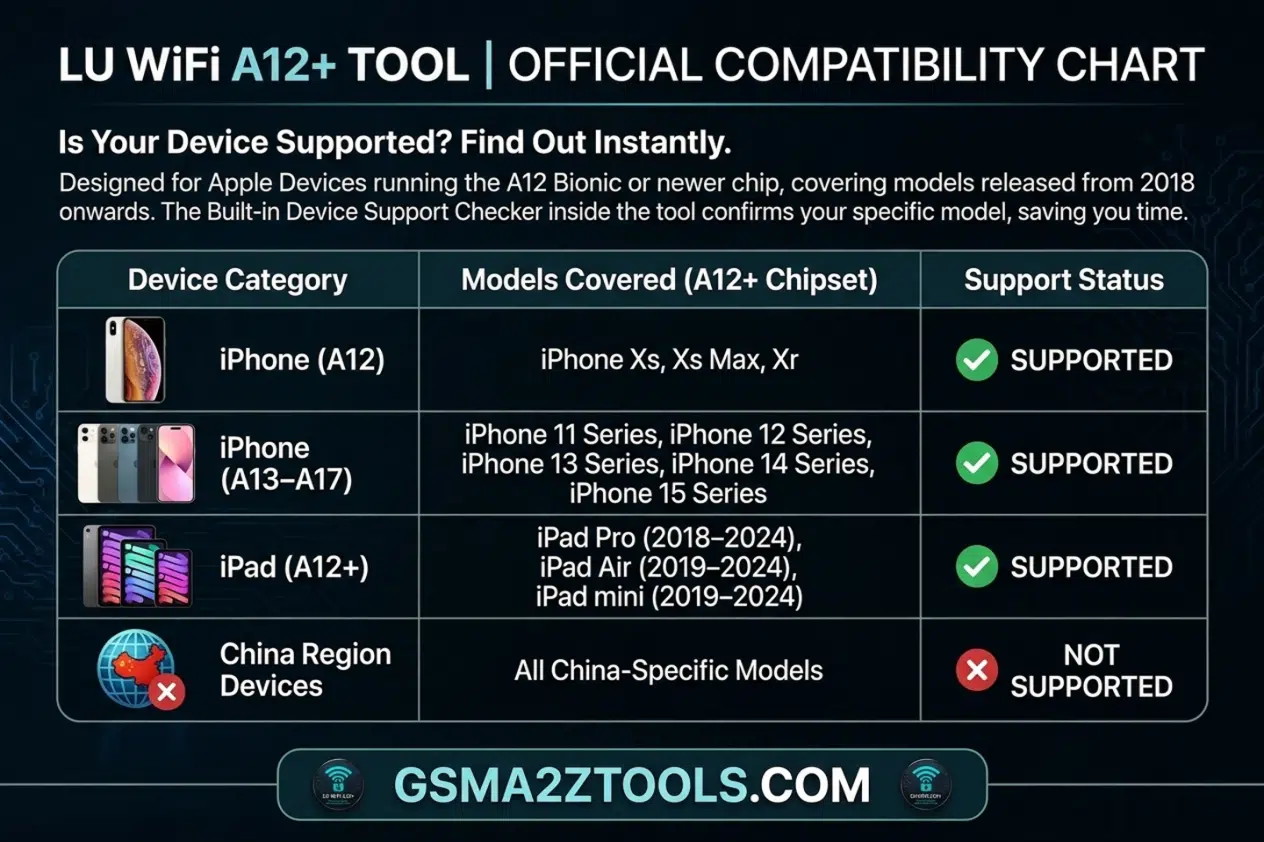
Official compatibility chart for lu wifi a12+ tool — supports iphone xs, xr, iphone 11 through 15 series, ipad pro, ipad air, and ipad mini (2018–2024). China region devices are not supported.
How To Download The Lu Wifi A12+ Tool (Latest Version)
Getting The Tool Is Straightforward. You Want To Make Sure You’re Downloading The Latest Official Version Not An Outdated Copy Or A Modified File From A Random Site. Always Go For The Most Recent Stable Release Available On Gsm Atoz Tool Which Includes The Latest Stability Fixes And Broader Ios Support Compared To Older Versions.
When Downloading Always Verify The Source. Fake Versions Of Popular Bypass Tools Circulate Frequently And Some Contain Malware Or Just Flat-out Don’t Work. Use The Official Download Link Shared Directly On Gsm Atoz Tool Check Forums Like Reddit Or Dedicated Icloud Bypass Communities For Verified Links And Scan Any Downloaded File Before Running It. It Only Takes A Minute And Could Save You A Serious Headache.
How To Use The Lu-wifi A12+ Tool — Step-by-step
The Process Is Simpler Than You Might Expect. The Tool Is Designed To Guide You Through Each Stage And The Built-in Device Checker Handles A Lot Of The Guesswork Automatically. You Don’t Need Prior Experience With Bypass Tools To Get This Working.
- Connect Your Device — Plug Your A12+ Iphone Or Ipad Into Your Computer Using A Usb Cable. Make Sure Itunes Or Finder Recognizes The Device.
- Open Lu wifi A12+ Tool — Launch The Application. It’ll Automatically Detect Your Connected Device And Display The Model Info.
- Check Device Support — The Built-in Device Support Checker Will Confirm Whether Your Device Is Compatible. If It’s Supported You’ll See A Green Confirmation.
- Select Quick Flash Boot — Choose The Tethered Bypass Option. This Applies The Bypass During The Boot Sequence Which Is The Most Reliable Method For A12+ Chips.
- Start The Bypass Process — Click The Start Button And Let The Tool Do Its Work. Don’t Disconnect The Device During This Step.
- Wait For Confirmation — The Tool Will Notify You When The Bypass Is Complete. Your Device Should Restart And Load Past The Activation Screen.
- Access Your Device — Once Bypassed You Can Use The App Store Receive Notifications And Sign In Via Backup. Full Access Is Restored.
Lu-wifi A12+ Vs Other Bypass Tools
There Are A Handful Of Tools Competing In The Icloud Bypass Space Tools Like Frpfile Activator A12+ Haafedk Icloud Free And Various Tetheredbypass Utilities. So Why Choose Lu wifi A12+? The Honest Answer: It Comes Down To Active Development And Ios Coverage. Many Competing Tools Stopped Updating After Ios 16 Or Ios 17 Leaving Users With Newer Devices Completely Stranded.
Here’s A Side-by-side Comparison:
| Tool | Latest iOS | Free? | No Jailbreak? | A12+ Support |
|---|---|---|---|---|
| Lu Wifi A12+ Tool | iOS 26.1 | ✅ Yes | ✅ Yes | ✅ Full |
| Frpfile Activator A12 + Tool | iOS 16–17 | ✅ Yes | ✅ Yes | Partial |
| Haafedk Icloud Free Tool | iOS 17 | ✅ Yes | Varies | Partial |
| TetheredBypass | iOS 16 | ✅ Yes | ❌ No | Limited |
Lu wifi A12+ Clearly Leads On Ios Coverage. It’s Also The Only Tool In This Group That Supports Ios 26.1 Which Matters If Your Device Came Pre-installed With Newer Firmware. The No-signal Fix Included In Recent Versions Is Another Bonus — Many Competitors Don’t Address The Cellular Connectivity Issue That Sometimes Appears After A Bypass.
Important Notes And Limitations
No Bypass Tool Is Perfect And LU-WiFi A12+ Is No Exception. It’s A Tethered Solution Which Means The Bypass Needs To Be Reapplied Every Time The Device Restarts. That’s Not A Dealbreaker For Most Users But It’s Worth Knowing Upfront So You’re Not Surprised After The First Reboot. Think Of It Like Keeping A Spare Key Nearby: It Takes An Extra Step But It Works Reliably Every Time.
A Few Other Limitations To Keep In Mind:
- China-region Devices Are Explicitly Not Supported — This Is A Hardware-level Restriction Not A Software Bug.
- The Bypass Doesn’t Remove The Original Icloud Account — It Works Around It. Full Account Removal Requires The Original Owner’s Credentials.
- Some Carrier Features May Be Limited Depending On Device Model And Firmware.
- Always Back Up Any Recoverable Data Before Running A Bypass Process.
- The Tool Requires A Windows Or Mac Computer With Usb Access — It Doesn’t Run Directly On The Iphone.
Frequently Asked Questions (FAQ)
Is The Lu Wifi A12+ Tool Completely Free?
No The Lu wifi A12+ Tool Is A Paid Tool. A One-time Purchase Is Required To Access And Use It. There Are No Free Tiers Or Trial Versions Available. Visit Gsm Atoz Tool To Get The Latest Version And Pricing Details.
Does It Work On Ios 18 And Ios 26.1?
Yes. The Latest Version (v1.3.4) Fully Supports Ios 15 Through Ios 26.1 Including Ios 18 And All Intermediate Releases. Earlier Versions May Not Work On Newer Firmware.
Do I Need To Jailbreak My Iphone First?
No. The LU-WiFi A12+ Tool Doesn’t Require A Jailbreak. It Applies The Bypass During The Quick Flash Boot Phase Which Works Independently Of The Device’s Software State.
Will I Have Access To The App Store After Bypassing?
Yes. After A Successful Bypass You Get Full Access To The App Store Push Notifications And Icloud Sign-in Via Backup — Just Like A Normally Activated Device.
My Device Is From China — Will This Tool Work?
Unfortunately No. China-specific Device Models Are Not Supported By LU-WiFi A12+. This Isn’t A Version-specific Limitation — It Applies Across All Releases Of The Tool.
Is The Lu Wifi A12+ Tool Worth It?
Let’s Be Straight With You: No Bypass Tool Is Magic. There Are Real Limitations — It’s Tethered China Models Aren’t Supported And You’re Still Working Around An Account Rather Than Removing It. But Within Those Boundaries The LU-WiFi A12+ Tool Does Exactly What It Promises Consistently And Reliably.
What Really Sets It Apart Isn’t Just The Bypass Itself — It’s The Active Development Behind It. Most Tools In This Space Go Quiet After A Year. A New Ios Drops And They’re Done. LU-WiFi A12+ Has Kept Pace Through Ios 15 All The Way To Ios 26.1 Which Is Genuinely Impressive And Shows The Team Behind It Actually Cares About Keeping Users Unblocked.
The Clean Interface Helps Too. You Don’t Need A Youtube Tutorial Running In A Second Window Just To Figure Out Which Button To Click. The Device Checker The Clear Steps And The Quick Flash Boot Method All Make The Process Approachable — Even If You’ve Never Touched A Bypass Tool Before.
If You’re Sitting On An A12+ Device With An Activation Lock And No Account Credentials To Unlock It The Traditional Way This Tool Is One Of The Best Paid Options Available Right Now. It’s Actively Maintained Covers A Wide Ios Range And Delivers Real Results. Download The Latest Version From Gsm Atoz Tool Follow The Steps In This Guide And You’ll Have Your Device Back Up And Running Far Quicker Than You’d Expect.
Just Remember — Use It On Devices You Own Or Have Legitimate Access To. Beyond That It’s A Genuinely Useful Paid Tool That Solves A Genuinely Painful Problem. That’s Really All You Can Ask For.
LU-WiFi A12+ V.1.4.0
[Click Here to Serial Number Register This Tool on WhatsApp] (Paid)
Download Link:: Usersdrive – Mediafire – 4shared – My.pcloud – DropBox – Mega – Vexfile – Google Drive – Playbook – Drive.proton