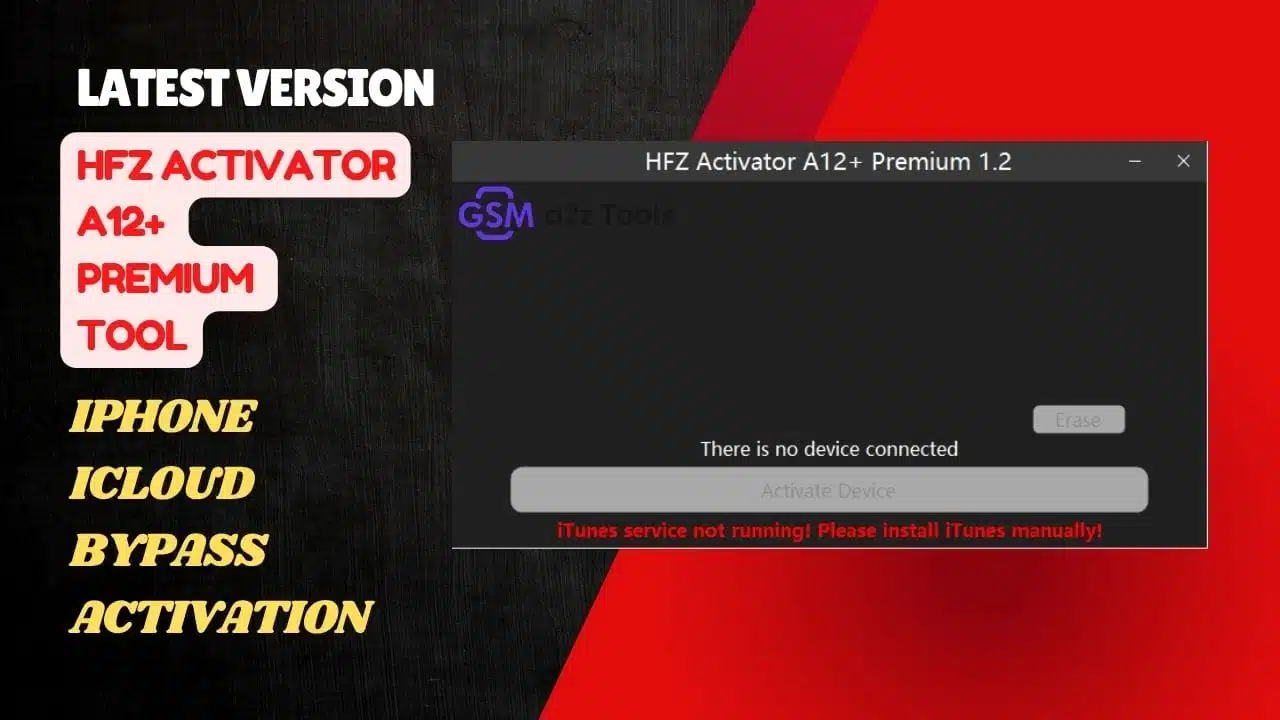
Hfz activator a12+ premium v1. 2 installation process on windows pc from setup start to completion
Ever Tried To Bypass Your A12+ Device Only To End Up Stuck With Annoying No-signal Issues Or Failed Activations? You’re Definitely Not Alone—many Users Spend Hours Looking For A Clean Working Method That Actually Supports The Latest Ios Versions Without Breaking Features Like Apple Pay Or App Store. It’s Frustrating When Every New Update Seems To Shut Down Your Favorite Bypass Tool Just When You Need It Most.
That’s Where The Hfz Activator A12+ Premium Tool Comes In. This Powerful Windows Tool Now Supports 26.1 Rc And 18.7.2 Rc Offering Instant Bypass For A12+ Devices Including Ipads (wifi And Cellular Even China Models). In This Guide You’ll Learn How To Use Hfz Activator A12 + Premium To Safely Unlock And Activate Your Device With Full Functionality—wifi Notifications Apple Pay And All.
What Is The Hfz Activator A12+ Premium Tool
The Hfz Activator A12+ Premium Tool Is A Professional Icloud Bypass And Activation Solution Created For Iphone And Ipad Users Running On A12+ Chips. It Allows You To Activate Your Device Even If It’s Locked Or Showing “no Signal.” With Quick Server-based Verification It Brings Instant Bypass Without Damaging Essential Features.
This Tool Is Part Of The Hfz Family Of Utilities Trusted By Technicians And Advanced Users Worldwide. Its Main Strength Lies In Stability — You Don’t Lose Key Functions Like Reboot Apple Pay Or App Store Access. Whether It’s An Iphone Xr Or An A12+ Ipad The Process Stays Simple And Safe.
How Does Hfz Activator A12+ Premium (Windows Tool) Work
Think Of This As A Plug-and-play Tool For Your Iphone Or Ipad. The Hfz Activator A12+ Premium (windows Tool) Connects To Your Device In Hello Mode Checks Support Status And Starts The Activation Through A Secure Server. You Just Need A Stable Wifi Connection — No Complex Scripts Or Jailbreak Commands Required.
The Process Uses Your Device’s Serial Number To Validate Activation With Hfz’s Server. Once The Check Passes It Automatically Unlocks Your Phone’s Activation Lock While Restoring Key Ios Services Like Apple Pay And Notifications.
Also Read
Bypass And Activation Process Step-By-Step
Download And Install The Hfz Activator A12+ Premium Tool On Your Windows Pc.
- Connect Your Iphone Or Ipad To The Computer While It’s In Hello Mode.
- Click “check Support” To Verify Device Compatibility.
- Add Your Serial Number When Prompted.
- Start The Activation Process And Wait For Confirmation.
- Reboot Your Device And Enjoy A Fully Functional Iphone Or Ipad.
It’s Fast Clean And Designed For Instant Bypass.
Features Of The Hfz Activator A12+ Premium Tool:
Supports 26.1 Rc 18.7.2 Rc Now
- Bypass A12+
A12+ No-signal
Instant Bypass
- Reboot
- App Store
- Apple Pay
- Notifications
- Lock Ota And Reset
- A12+ Ipad Wifi & Cellular
- A12+ Ipad Wifi China Model
- Supports Ios17.0-18.7.1 26.0.1
Activation Require Wifi Connection On Device
For Start Connect Device In Hello Mode To Tool And Check Support Status After You Can Add Serial And Start Activation
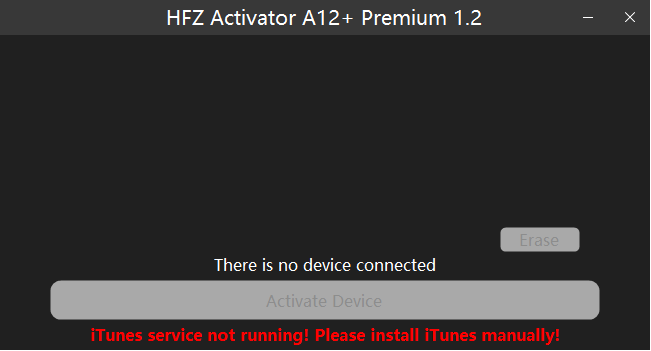
Hfz activator a12+ premium tool download
How To Install The Hfz Activator A12+ Premium Tool (Windows)
Installing The Hfz Activator A12+ Premium Tool On Windows Is Simple And Takes Only A Few Minutes. Make Sure Your Computer Meets The Basic Requirements — Windows 10 Or 11 (64-bit) At Least 4 Gb Ram And A Stable Internet Connection. Then Follow These Steps Carefully To Complete The Setup.
Download The Setup File
Get The Latest Version Of Hfz Activator A12+ Premium V1.2 From The Verified Hfz Download Page Or Trusted Source. Once Downloaded Locate The Installer File (Usually Named Hfzactivatora12+premiumsetup.exe).
Run The Installer
Double-click The Setup File To Launch The Installation Wizard.
Start The Setup Wizard
When The Welcome Screen Appears Click Next > To Begin. This Wizard Will Guide You Through All The Installation Steps.
Choose Installation Options
On The Custom Setup Screen Keep The Default Feature (mainfeature) Selected Then Click Next > Again. No Additional Space Is Required For Optional Components.
Begin Installation
Review Your Settings On The Ready To Install Page Then Click Install. Wait For The Progress Bar To Complete — This May Take A Minute Or Two.
Finish Setup
Once Installation Is Complete You’ll See The Completing Setup Wizard Window. Click Finish To Exit.
Launch The Tool
Open The Newly Installed Hfz Activator A12+ Premium Tool From Your Desktop Or Start Menu. Connect Your Iphone Or Ipad In Hello Mode Check Support Status And Begin Activation.
FAQs About HFZ Activator A12+ Premium Tool
Is The Hfz Activator A12+ Premium Tool Free?
Some Builds Are Free For Testing But Premium Activation Requires A Server License.
Does It Work On Ios 18.7.1 Or 26.1 Rc?
Yes — It Fully Supports Both Including No-signal Fixes.
What’s The Difference Between A12 And A12+?
A12+ Includes Newer Iphones/ipads Like Xr Xs And Ipad 9th Gen With Upgraded Hardware.
Is Wifi Required For Activation?
Yes A Wifi Connection Is Mandatory During Activation.
Can It Bypass Icloud On Ipad?
Yes — Supports Both Wifi And Cellular Versions Including China-specific Models.
Final Thoughts
If You’ve Struggled With Icloud Activation Or Lost Signal After A Bypass The Hfz Activator A12+ Premium Tool Delivers A Clean Reliable Fix. It’s Fast Secure And Fully Compatible With Ios 17.0 Through 18.7.1 (26.0.1).
With Features Like Instant Bypass Full Reboot Recovery App Store Access And Stable Apple Pay This Windows Tool Is One Of The Most Dependable Icloud Activation Solutions Available Today.
How To Download
- Find The File Or Content You Want To Download.
- Find The Download Page And Don’t Click Button And Click Only The (Download Link)
- Choose The Destination Folder On Your Device To Save The Downloaded File.
- Wait For The Download To Complete And Enjoy Your Content!
HFZ Activator A12+ Premium Tool
Download Link:: Usersdrive – Mediafire – 4shared – Sendcm – Google Drive – My.pcloud – Playbook – Limewire