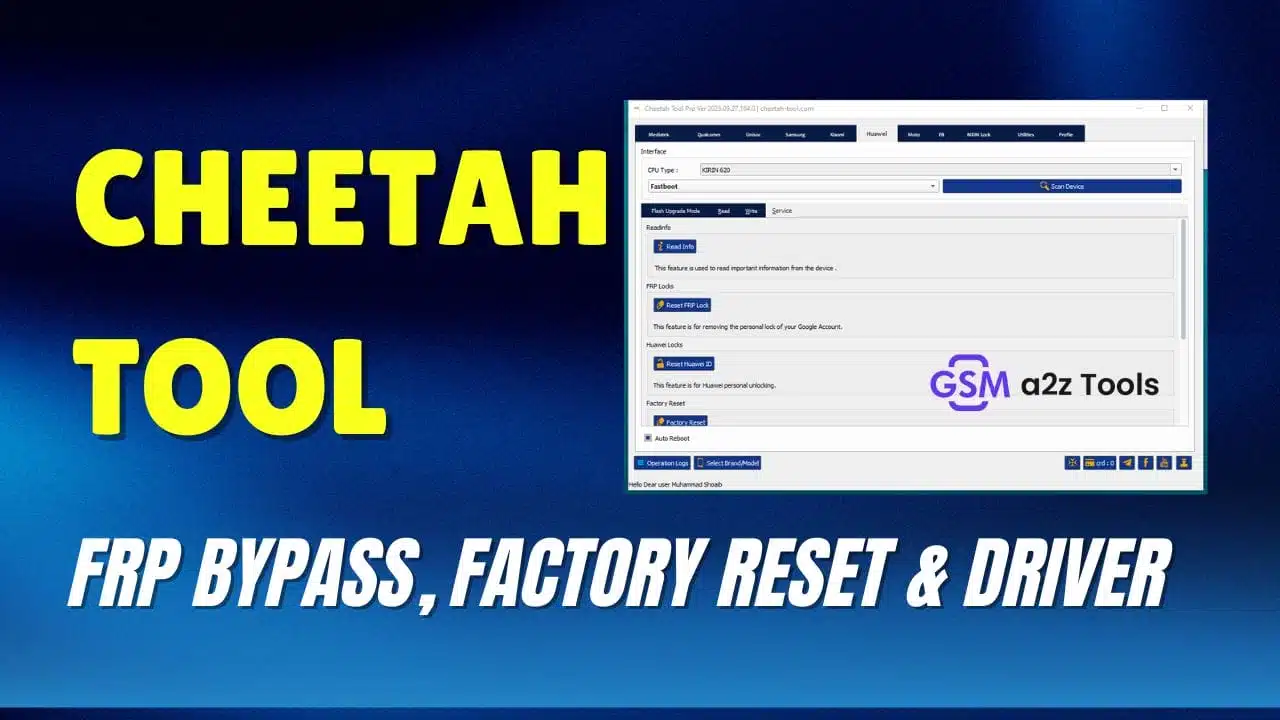
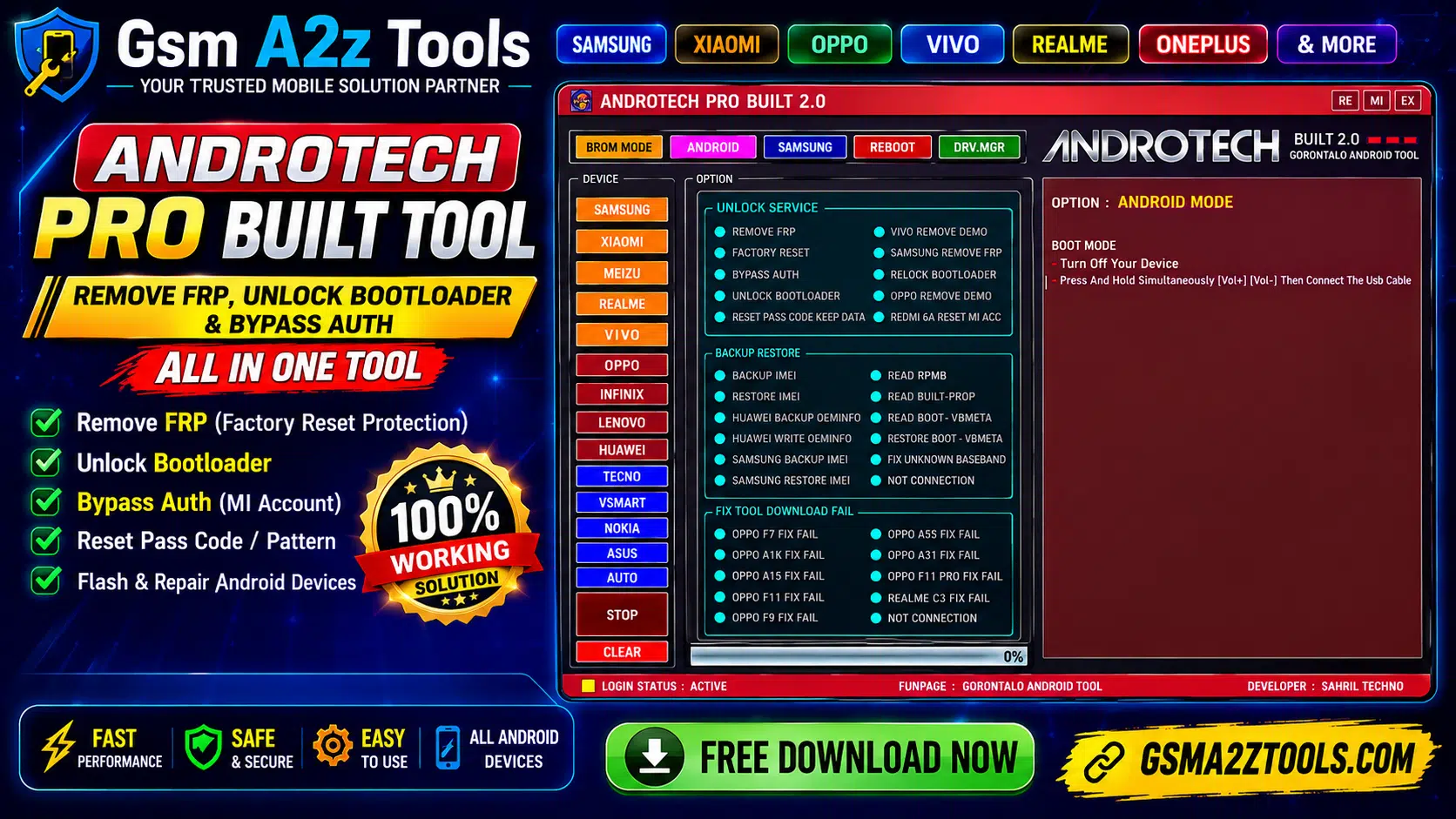
Androtech pro built all-in-one android repair tool remove frp unlock bootloader bypass auth reset passcode imei backup restore oppo fix fail samsung frp remove and flash & repair support for samsung xiaomi oppo vivo realme oneplus
If You’ve Spent Any Time Working On Android Phones Professionally You Know That One Stubborn Device Can Eat Up Your Entire Afternoon. Whether It’s An Frp Lock That Won’t Budge A Baseband Showing Unknown Or A Download That Keeps Failing Mid-flash The Wrong Tool Means You’re Stuck Googling For Hours Instead Of Actually Fixing Anything. That’s Exactly The Kind Of Frustration The Androtech Pro Built Was Designed To Cut Through.
In This Post We’ll Walk You Through Everything This Tool Brings To The Table From Brom Mode Unlocking And Imei Backup And Restore To Samsung Frp Bypass Methods Oppo Fix-fail Support And A Full Suite Of Adb And Fastboot Utilities. Whether You’re A Seasoned Repair Tech Or Just Getting Serious About Mobile Servicing You’ll Find Something Here That Makes Your Workflow A Whole Lot Smoother. Let’s Get Into It.
What Is The Androtech Pro Built
Androtech Pro Built Is A Windows-based Android Servicing Tool Built Specifically For Mobile Repair Professionals. It Gives Technicians Direct Access To Low-level Device Functions That You Simply Can’t Reach Through Standard Settings Or Recovery Menus. Think Of It As A Master Key One That Opens Doors Most Other Tools Can’t Even Find.
What Makes It Stand Out Isn’t Just The Feature Count. It’s The Fact That Everything Is Organized Under One Clean Interface. You Don’t Need Five Different Programs Running At The Same Time. Whether You’re Dealing With A Locked Huawei A Redmi With A Stuck Mi Account Or An Oppo That Keeps Failing Mid-download Androtech Pro Built Handles It From A Single Dashboard.
Key Features Of Androtech Pro Built Tool
The Feature List Here Is Genuinely Impressive For A Tool In This Category. You Get Brom Mode Access Adb And Fastboot Utilities Mtp Mode Controls Qr Code Frp Bypass Samsung-specific Operations Full Driver Support And A Dedicated Section For Fixing Failed Downloads. That’s Not A Feature List — That’s Practically A Full Repair Ecosystem.
What’s Also Worth Noting Is The Device Brand Coverage. This Tool Doesn’t Just Focus On One Manufacturer. It Supports Samsung Huawei Oppo Realme Vivo Redmi And More. For A Repair Shop Handling Mixed-brand Devices Every Day That Kind Of Broad Compatibility Saves Real Time And Real Money.
Brom Mode Unlock Service Explained
Brom Stands For Boot Rom — It’s The Lowest Level Of Communication You Can Establish With A Mediatek Device. When A Phone Is In Brom Mode It’s Essentially Telling Your Computer “i’m Ready To Listen At The Hardware Level.” Androtech Pro Built Uses This Connection To Perform Operations That Standard Adb Simply Can’t Touch.
Through Brom Mode The Tool Offers A Solid Range Of Unlock Services. You Can Remove Frp Perform A Full Factory Reset Bypass Authentication Unlock The Bootloader Or Relock It When Needed. It Also Handles More Specific Tasks Like Vivo Demo Removal Samsung Frp Removal Oppo Demo Removal And Even Redmi 6a Mi Account Reset. One Of The More Useful Options Is Reset Passcode Keep Data — Which Lets You Clear The Screen Lock Without Wiping The User’s Files. That’s A Feature Clients Genuinely Appreciate.
Backup And Restore Features
Losing Imei Data During A Repair Is One Of The Worst Things That Can Happen On A Job. It Turns A Routine Fix Into A Regulatory Nightmare. Androtech Pro Built Addresses This With A Dedicated Backup And Restore Section That Covers The Most Critical Device Identifiers And Partition Data.
You Can Backup And Restore Imei For Standard Android Devices As Well As Samsung-specific Imei Backup And Restore. Huawei Users Get Oeminfo Backup And Write Support Which Is Essential When Dealing With Huawei Devices That Lose Their Identity After A Motherboard Swap. Beyond That The Tool Lets You Read Rpmb Read Build.prop And Read Or Restore Boot And Vbmeta Partitions. There’s Also A Fix Unknown Baseband Function — Which Solves One Of The Most Common Post-flash Problems Repair Techs Face Every Week.
Fix Tool Download Fail Support
Few Things Are More Frustrating Than A Flash Tool That Dies Halfway Through A Download. You’re Sitting There Watching A Progress Bar Freeze At 60% And Wondering If You’ve Just Bricked A Client’s Phone. Androtech Pro Built Has A Dedicated Fix Tool Download Fail Section Specifically For Oppo And Realme Devices That Are Known To Throw These Errors.
Supported Models In This Section Include The Oppo F7 Oppo A1k Oppo F11 Pro Oppo F11 Oppo A15 Oppo F9 Oppo A5s Oppo A31 And The Realme C3. If You’ve Worked On Any Of These Models Before You Know How Often They Fail During Flash Tool Operations. Having A Direct Fix Built Into Androtech Pro Built Means You’re Not Googling For Patches Or Waiting On Forum Replies — You Just Run The Fix And Get Back To Work.
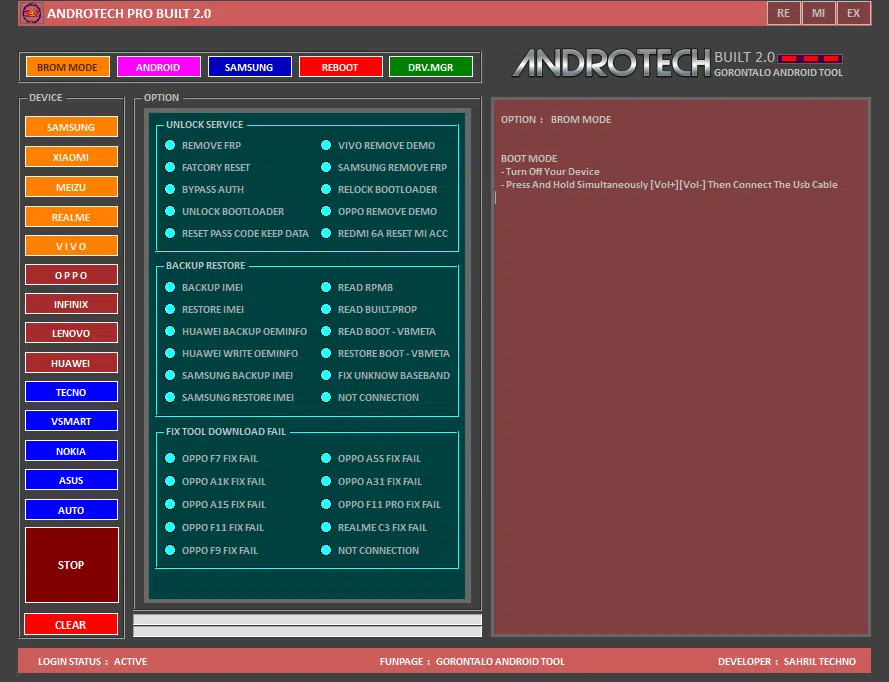
Androtech pro built brom mode unlock service imei backup restore oppo fix fail support and samsung frp removal — developed by sahril techno gorontalo android tool.
Adb And Fastboot Utility Tools
Adb And Fastboot Are The Bread And Butter Of Android Servicing. Androtech Pro Built Wraps Both Into A Clean Utility Panel That Makes Them Far Easier To Use Than Typing Raw Commands Into A Terminal. Even If You’re Comfortable With Command-line Work Having A Gui Speeds Things Up Considerably.
On The Adb Side You Can Read Device Id Pull Cpu Info Check Memory Info Reset Frp Via Adb Unlock The Screen With Root Access And Kill The Adb Server When Needed. The Fastboot Panel Is Equally Useful — It Gives You Device Id Full Variable Info Via Get Var All Anti-rollback Info Bootloader Status And Options To Unlock Or Relock The Bootloader. Huawei Device Info Is Also Accessible Through Fastboot Which Is Handy For Identifying Unlocked Or Relocked Status Before Starting A Job.
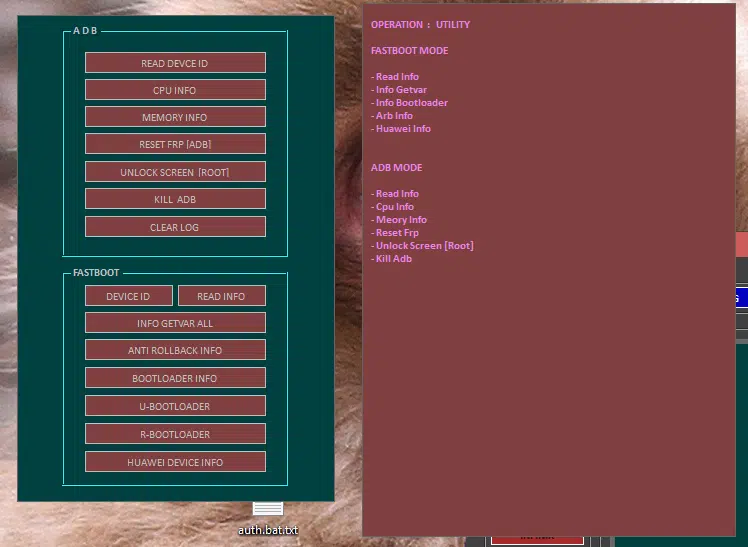
Androtech pro built utility section displaying adb mode functions (read device id cpu info memory info reset frp unlock screen root kill adb) and fastboot mode options (device id info getvar all anti rollback info bootloader info u-bootloader r-bootloader huawei device info).
Samsung Frp Bypass Methods
Samsung Frp Is A Different Beast Compared To Other Brands. Google’s Standard Frp Implementation Is One Thing But Samsung Layers Its Own Knox Security On Top Which Makes Standard Bypass Approaches Hit A Wall Fast. Androtech Pro Built Tackles This With Multiple Samsung-specific Methods Built Right Into The Interface.
The Tool Supports Frp Removal Through Emergency Call Using The Testmode Method (#0#) Which Works Well On Older Samsung Firmware. It Also Supports Qr Code Bypass And Barcode Reading Feature Useful On Newer Samsung Models Where The Emergency Call Method No Longer Applies. Additionally The Mtp Mode Section Includes Samsung Port Detection Frp Removal Adb Enable Reboot Kill Server And Restart Tool Options. That’s A Layered Approach That Covers A Wide Range Of Samsung Firmware Versions.
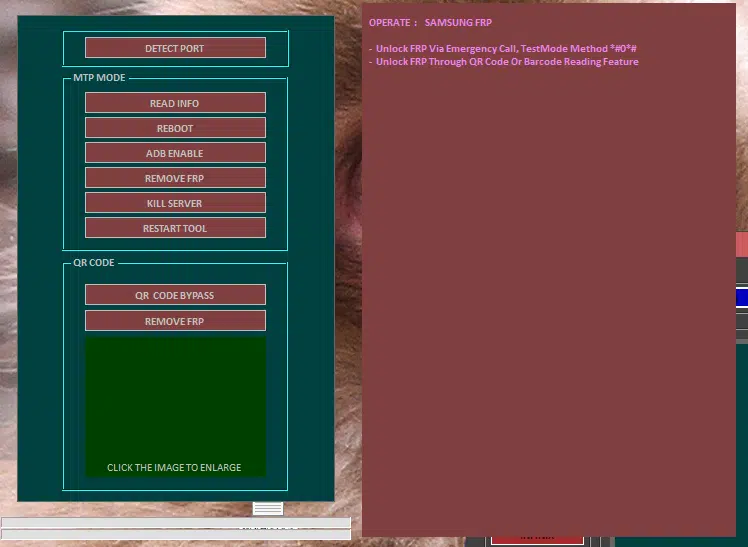
Androtech pro built samsung frp section displaying detect port mtp mode controls (read info reboot adb enable remove frp kill server restart tool) and qr code bypass
Reboot Options And Device Control
Reboot Controls Might Sound Like A Minor Feature But In Real Repair Work They Matter More Than People Think. Getting A Device Into The Right Mode Quickly — Without Fumbling Through Button Combinations — Saves Time On Every Single Job. Androtech Pro Built Includes A Comprehensive Reboot Section Covering Both Adb And Device Id Modes.
Through Adb You Can Reboot To Normal Recovery Bootloader Edl Mode Sideload Or Simply Shut The Device Down. The Device Id Reboot Panel Extends This Further With Options For Fastboot Edl Method 2 Emergency Mode And Download Mode. For Devices That Need To Enter Edl For Deep-level Flashing Having A One-click Edl Reboot Is Genuinely Useful — Especially On Stubborn Devices That Don’t Respond Well To Hardware Button Combinations.
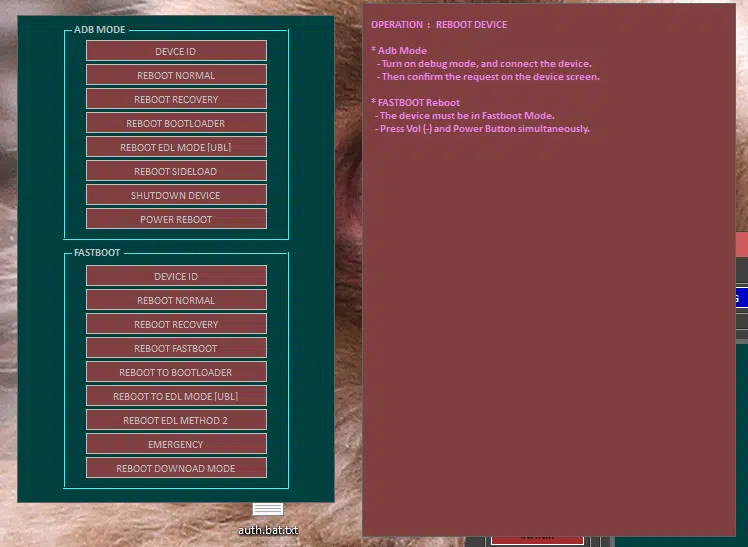
Androtech pro built reboot device section showing adb mode controls (device id reboot normal recovery bootloader edl mode ubl sideload shutdown power reboot) and fastboot reboot
Driver Support For All Chipsets
No Unlock Tool Works Without The Right Drivers. It Sounds Obvious But It’s The Number One Reason Most Technicians Waste Time Troubleshooting Connection Issues That Have Nothing To Do With The Tool Itself. Androtech Pro Built Includes A Built-in Driver Section That Covers Every Major Chipset And Connection Type You’re Likely To Encounter.
Available Drivers Include Mediatek Qualcomm-mtk Combined Usbdk X64 Libusb32 Samsung And Adb-fastboot. There’s Also A Device Manager Shortcut Built Into The Panel So You Can Quickly Check What’s Being Recognized Without Leaving The Tool. For Shops Handling A Daily Mix Of Mediatek Budget Phones And Qualcomm Flagships Having All These Drivers In One Place Means Less Setup Time And Fewer “device Not Detected” Headaches.
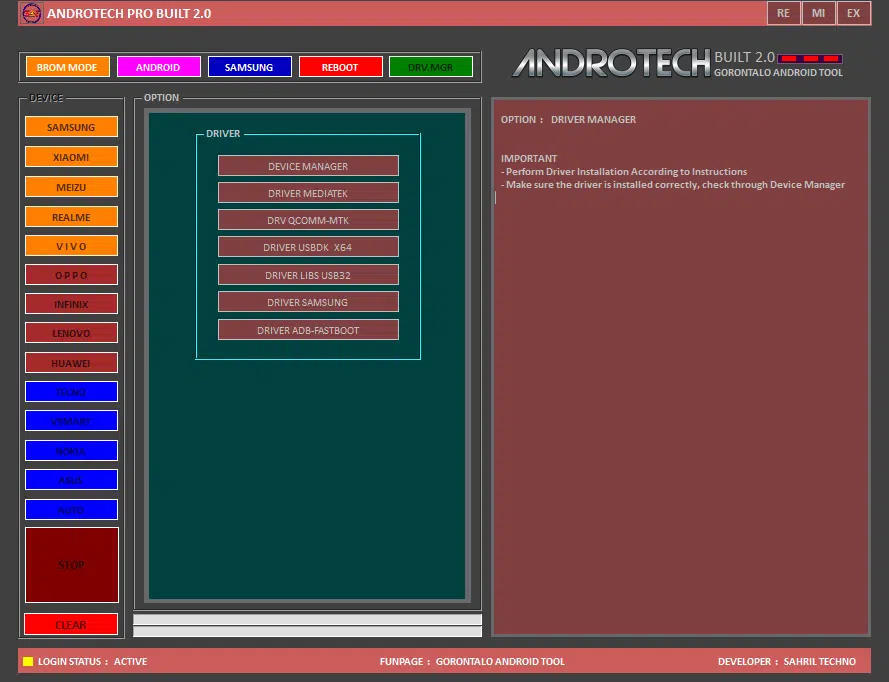
Androtech pro built 2. 0 driver manager section displaying all supported drivers including device manager driver mediatek driver qualcomm-mtk driver usbdk x64 driver libusb32 driver samsung and driver adb-fastboot — with important notes to install drivers correctly and verify through device manager. Developed by sahril techno gorontalo android tool.
Who Should Use This Tool
Androtech Pro Built Isn’t Really Aimed At Casual Users Who Just Want To Tinker With One Phone. It’s Designed For Working Technicians People Who Service Multiple Devices A Day And Need Something Reliable Fast And Broad Enough To Handle Whatever Walks Through The Door.
Mobile Repair Shop Owners Will Get The Most Value Here. So Will Freelance Technicians It Asset Managers Handling Company Device Fleets And Anyone Running A Refurbishment Business Dealing With Frp-locked Trade-ins. That Said Even An Advanced Hobbyist Who Services Devices For Friends And Family Will Find The Tool Useful — Especially The Driver Support And Adb Utilities Which Come In Handy For All Kinds Of Android Work Beyond Just Frp Removal.
Download Androtech Pro Built Free Latest Version
Before You Download Anything Take A Moment To Verify The Source. Tools In This Category Are Frequently Copied Repackaged And Redistributed With Malware Bundled Inside. Always Download Androtech Pro Built From A Trusted Source — Ideally The Developer’s Official Page Or A Well-known Mobile Repair Forum Where Community Members Have Already Vetted The File.
Once You Have The Correct File Check The Version Number Against The Changelog To Confirm It Supports Your Target Device’s Firmware Version. Installation Is Typically Straightforward Extract Run The Installer Install The Required Drivers From The Driver Panel And You’re Ready To Go. Keep The Tool Updated Regularly Since Android Firmware Patches Can Affect Which Methods Work And Which Ones Need A Newer Release To Function Correctly.
Conclusion
There Aren’t Many Tools That Genuinely Cover This Much Ground Without Becoming Bloated Or Confusing To Navigate. Androtech Pro Built Manages To Pack Brom Mode Unlocking Frp Removal Imei Backup And Restore Samsung-specific Bypass Methods Oppo Fix-fail Support Full Driver Management And Granular Reboot Controls Into One Interface That Actually Makes Sense To Use.
If You’re Serious About Android Repair Work This Tool Deserves A Spot In Your Toolkit. Download It From A Trusted Source Keep It Updated And Use It Responsibly Always On Devices You Own Or Have Clear Authorization To Service.
AndroTech Pro Built 2.0
Download Link:: Usersdrive – Mediafire – 4shared – My.pcloud – Playbook – DropBox – Mega – Drive.Proton