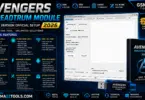
Avengers qualcomm module adb fastboot diag firmware and imei-qcn-simlock utilities
Ever Had A Phone Stuck At “Read Info” Forever Or Watched An Edl Flash Fail Right Before The Finish Line? If You’ve Spent Any Time Searching For Qualcomm-based Flashing And Repair Tools You’ve Probably Run Into A Wall Of Confusing Options Sketchy Downloads And Tutorials That Skip The Parts That Actually Matter. It’s Frustrating When You Just Want To Fix Frp Locks Repair Imei Or Unlock A Bootloader Without Bricking The Device In The Process.
That’s Exactly Where Avengers Qualcomm Comes In And This Post Breaks Down What It Actually Does From Edl And Adb Connections To Firmware Flashing Frp Resets And Imei Repair Across Brands Like Xiaomi Oppo Huawei And Motorola. Whether You’re A Mobile Repair Technician Or Just Trying To Solve A One-off Problem With Your Own Device You’ll Get A Clear Picture Of How The Tool Works And Where It Fits Into Your Workflow.
What Is The Avengers Qualcomm
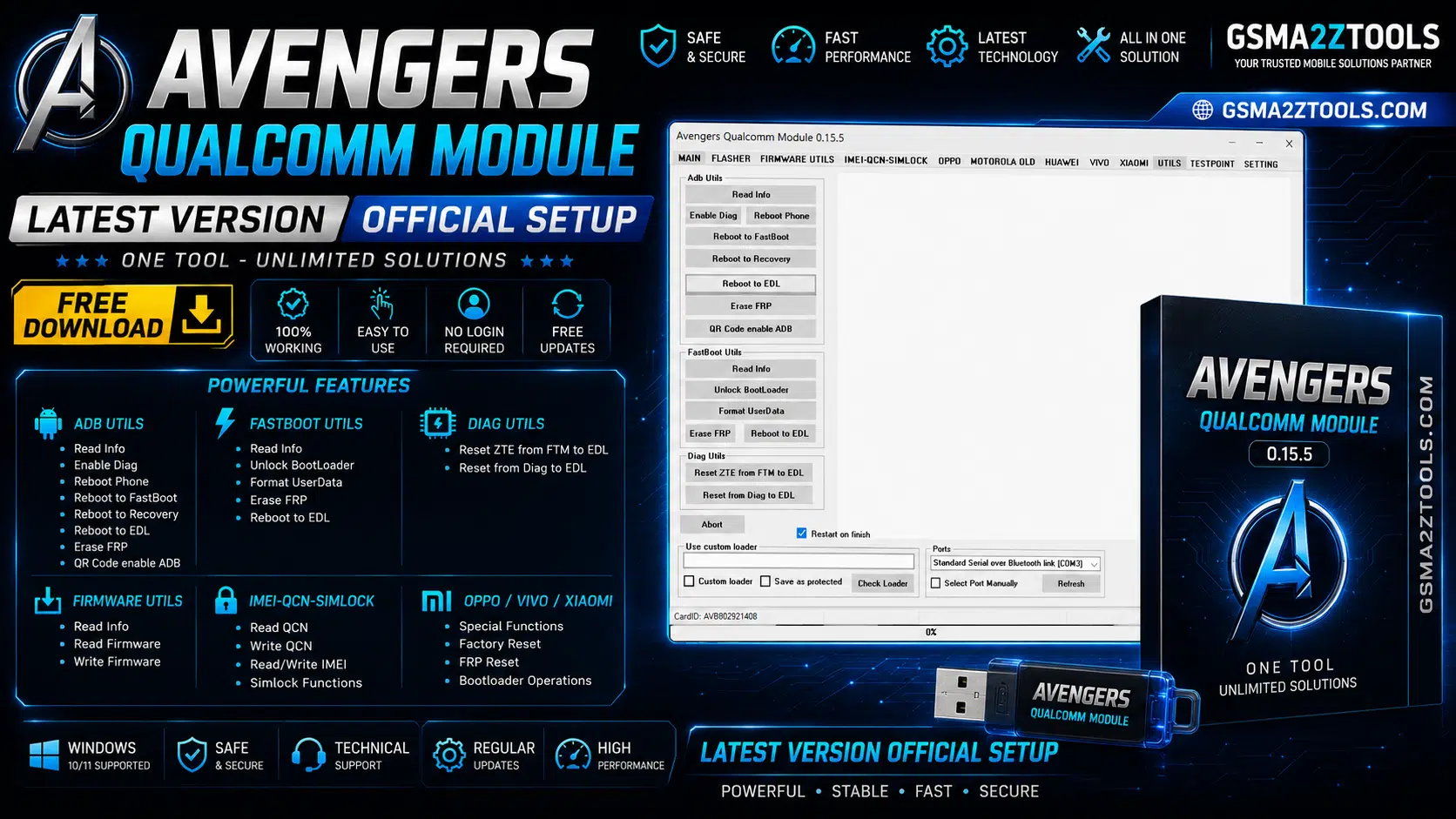
Avengers Qualcomm Is A Flashing And Repair Tool Built Specifically For Qualcomm Chipset Devices And It’s Designed To Handle The Kind Of Jobs A Repair Shop Runs Into Every Day. Unlike Some Software-only Utilities This One Is Dongle-based Which Means You Need The Physical Avenger Box Or Avengers Dongle Connected To Your Pc Along With A Valid Activation To Actually Use It. It Connects To Phones Through Edl Adb And Fastboot Modes Which Covers Most Situations Technicians Actually Face. Instead Of Switching Between Five Different Programs You Get Pattern Locks Frp Resets And Firmware Flashing Under One Roof With The Tool Reading Basic Phone Info Before You Start A Job So You Know Exactly What You’re Working With.
What Really Sets It Apart Is How Wide Its Brand Coverage Is. It Handles Big Names Like Xiaomi Oppo Vivo Huawei Motorola And Samsung Along With Smaller Or Regional Brands Such As Alcatel Asus Bq Infinix And Lenovo. That Kind Of Range Matters If Your Shop Deals With A Mixed Bag Of Devices Instead Of Just One Brand. In Short It’s Built To Be A Practical Daily-use Tool Rather Than Something With A Narrow One-off Purpose.
Also Read
Key Features Of Avengers Qualcomm
Main
Brand
- Autodetect device
- Alcatel
- Asus
- BQ
- Huawei
- Infinix
- Jio Phone
- Lenovo
- LYF
- Meizu
- Motorola
- NOKIA
- OnePlus
- Oppo
- Realme
- Smartisan
- SUNMI
- TCL
- VERTU
- Xiaomi
- ZTF
Job -EDL
- Read Info
- Read Pattern
- Reset Locks
Reset Frp
- Samsung – Edl Connection
- Generic – Edl Connection
- Generic Mode – Edl(patch)
- Generic – Adb Connection
- Generic – Fastboot Connection
- Zte – Ftm Connection
- Huawei – Adb Connection
- Reset FRP
Factory Reset
- Generic Reset Mode
- [Misc]generic Reset Mode
- [Patch]generic Reset Mode
- Alcatel Reset Generic
- Alcatel Reset Keep Data
- Vivo Reset Generic
- Vivo Reset Keep Data
- Samsung Reset Generic
Partition Manager
- Custom partitions erase
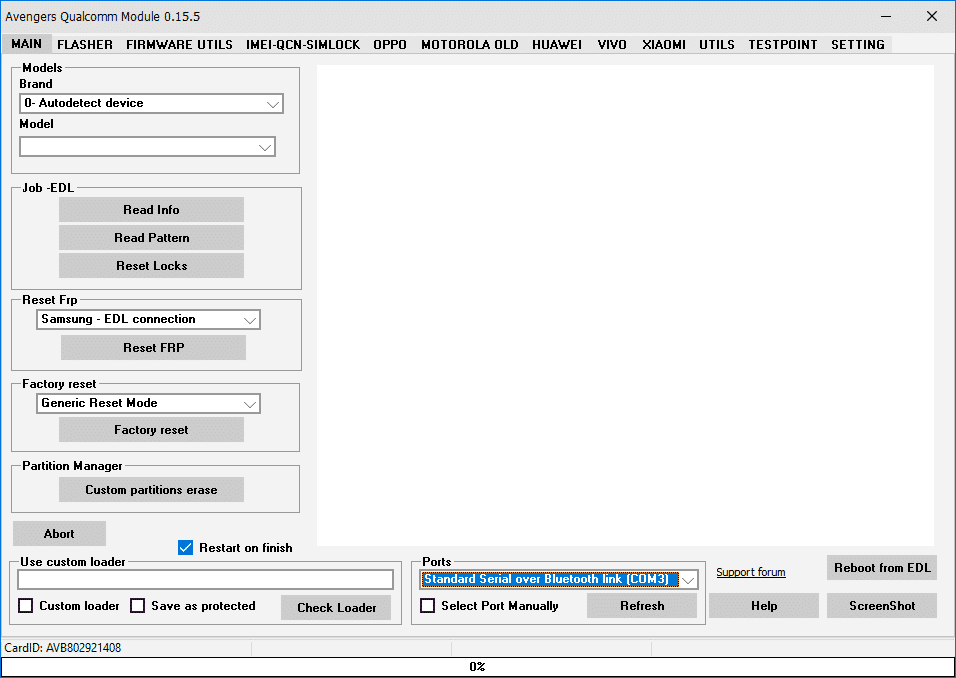
Avengers qualcomm module showing brand selection edl job options and frp reset tools
Flasher
- Firmware Flasher
- RAWPROGRAM File Support
- Patch File Support
- Upgrade
- Download
- Erase FRP
- Abort Process
- Restart on Finish
- Custom Loader Support
- Save as Protected
- Check Loader
- Select Port Manually
- Refresh Port
- Reboot from EDL
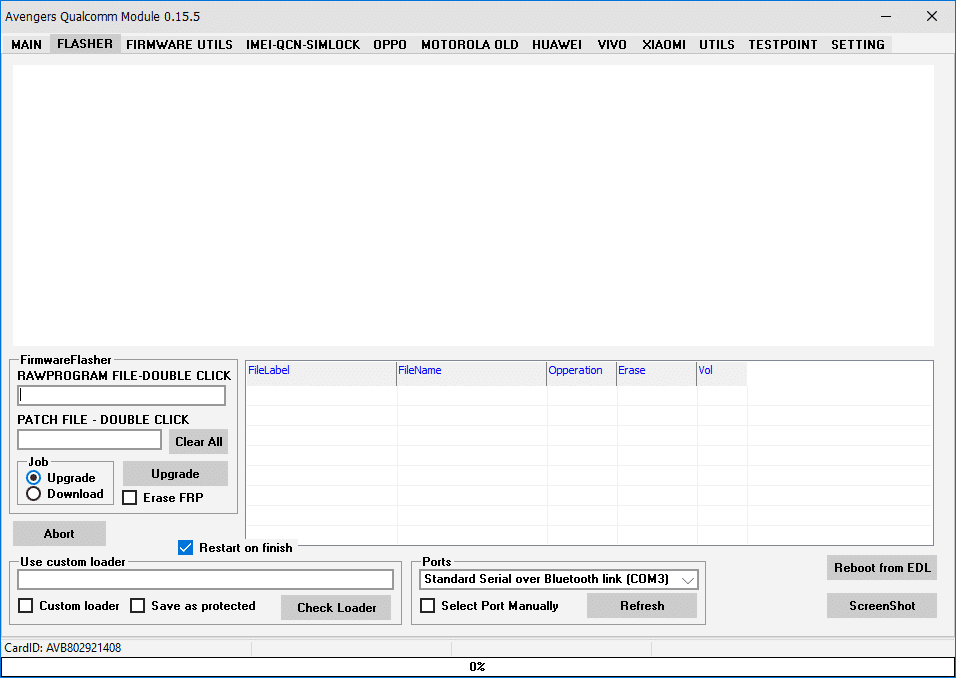
Firmware flasher tab in avengers qualcomm module showing rawprogram file patch file and upgrade/download job settings
Firmware Utils
- Dump Raw Userdata
- Dump Firmware
Dump Security
Job
- Erase Firmware
- Reset EFS
- Erase fsg
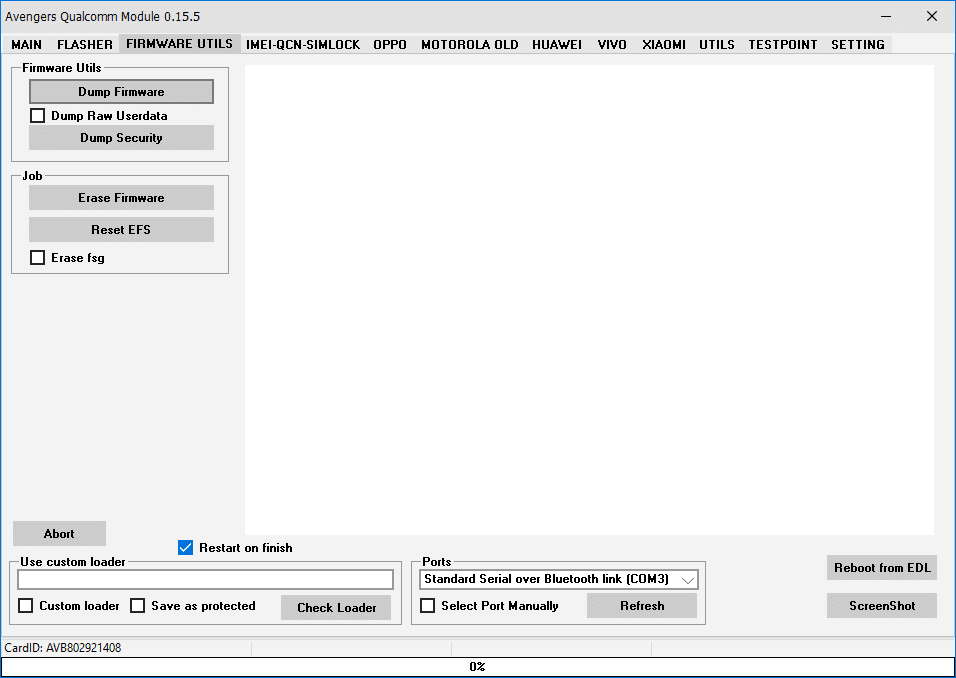
Firmware utils tab in avengers qualcomm module v0. 15. 5 showing dump firmware dump security erase firmware and reset efs options
IMEI-QCN-SIMLOCK
Repair IMEI
- Generic Qualcomm
- OPPO Phones
- Motorola Phones
- IMEI 1
- IMEI 2
- Read
- Write
Simlock
- Info
- Unlock
QCN
- Backup
- Restore
- Create NvDefinition Filter
- Use Read Filter
- Use Write Filter
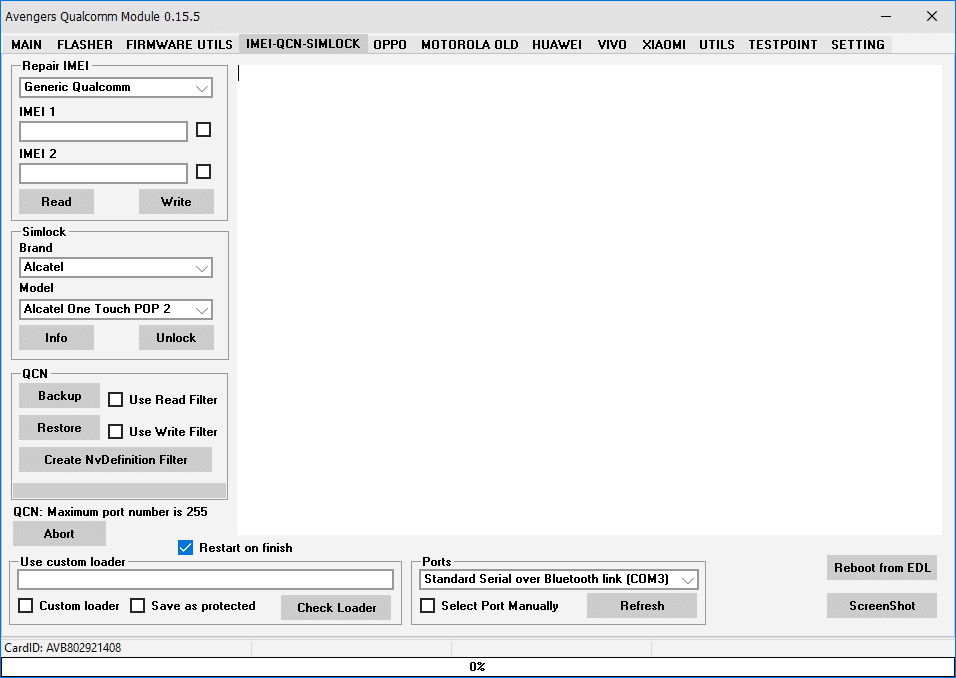
Imei-qcn-simlock tab in avengers qualcomm module v0. 15. 5 showing imei 1/2 read-write simlock brand/model unlock and qcn backup/restore options
Oppo
Locks
- Model
- Enable ADB
- Reset User Locks
Simlock Generic
- Network/Region unlock
Privacy Reset
- Reset Privacy
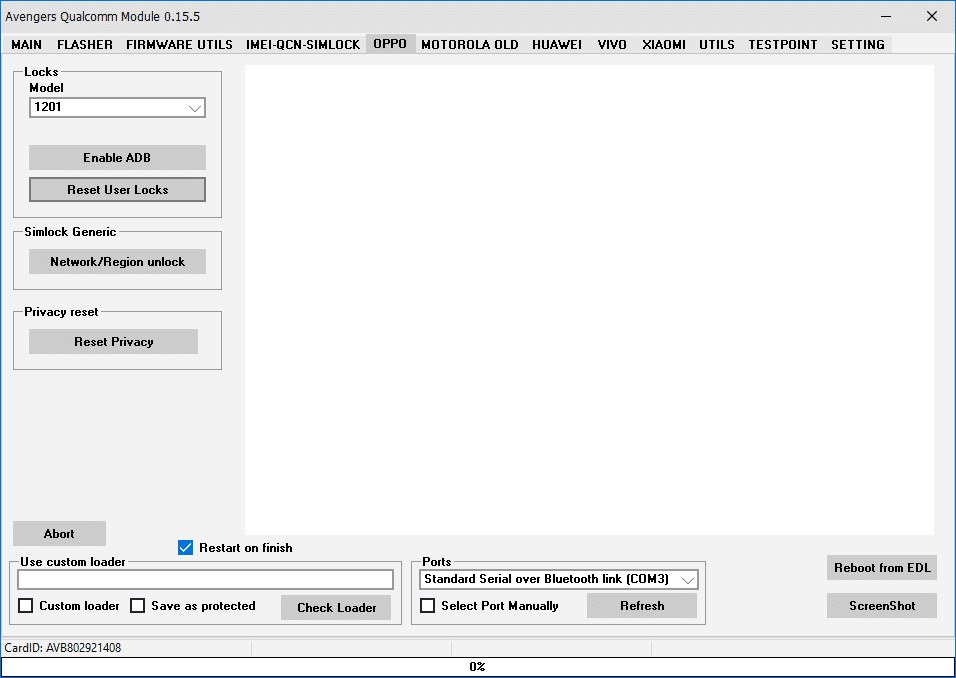
Oppo tab in avengers qualcomm module v0. 15. 5 showing model-based lock resets enable adb network/region simlock unlock and privacy reset
Motorola Old
Info
- Read Phone Info
- Read Partitions info
- Reboot on finish
Frp OLD
- Enable ADB
- Erase FRP
Frp NEW
- Erase FRP(new metod)
- Confirm each reboot
Wipe Phone
- Wipe
Simlock
- Unlock Motorola
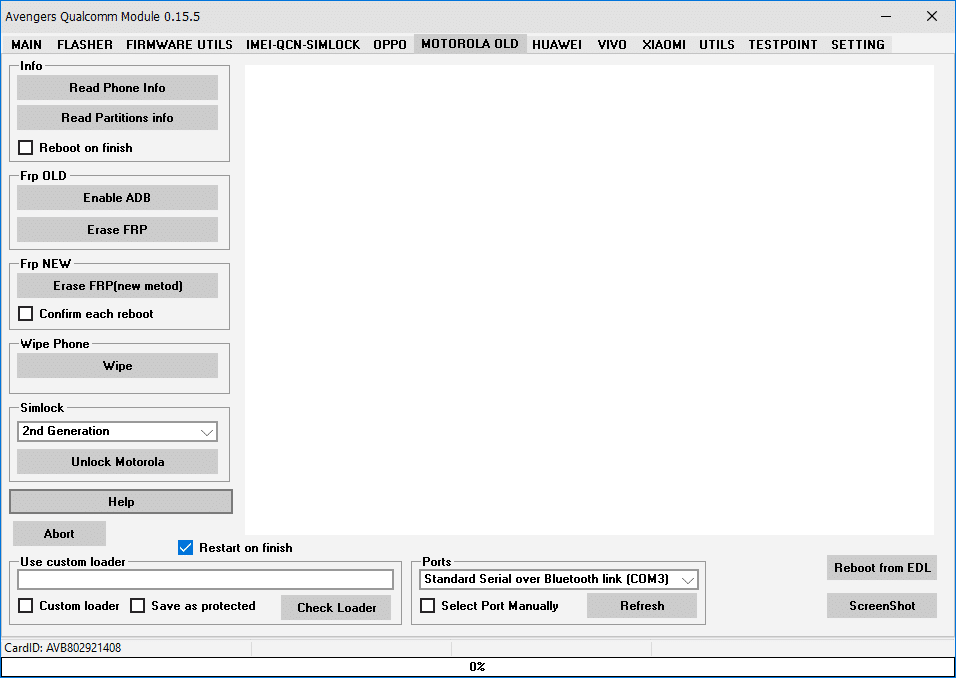
Motorola old tab in avengers qualcomm module v0. 15. 5 showing frp old frp new wipe phone and simlock unlock options
Huawei
Job
- Read INFO
Bootloader
- Read Bootloader Code[EDL]
- BootLoader Info[FASTBOOT]
- Unlock BootLoader[FASTBOOT]
Flasher
- Flash APP file – Official
- Low Speed
- Extract APP file
FRP(New Metod)
- Enable ADB
- Reset ADB
Vivo
- Remove Vivo Demo Mode
- Vivo Factory Reset
- Vivo Factory Reset Keep Data
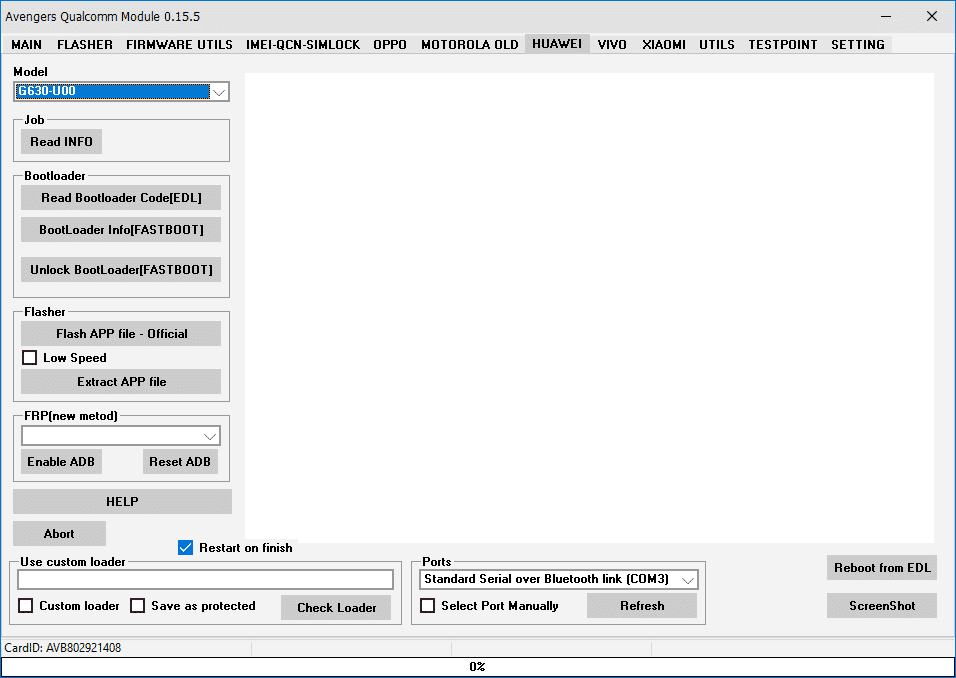
Huawei tab in avengers qualcomm module v0. 15. 5 showing bootloader read/unlock official app file flashing and frp new method options
Xiaomi
EDL Job
- Read Info
- Factory Reset
Mi Acount
- Reset Mi Acount
- Reset Userdata
- Skip backup
FRP
- Reset FRP
- Reset userdata
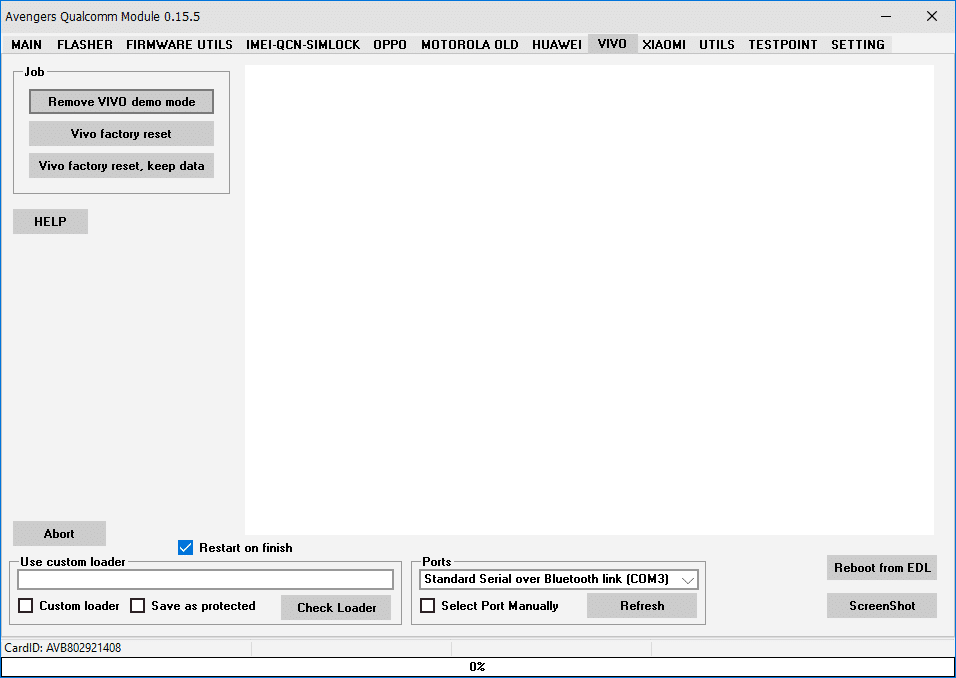
Vivo tab in avengers qualcomm module v0. 15. 5 showing remove vivo demo mode vivo factory reset and vivo factory reset keep data options
Utlis
Adb Utils
- Read Info
- Enable Diag
- Reboot to FastBoot
- Reboot to Recovery
- Reboot to EDL
- Erase FRP
- QR Code enable ADB
FastBoot Utils
- Read Info
- Unlock BootLoader
- Format UserData
- Erase FRP
- Reboot to EDL
Diag Utils
- Reset ZTE from FTM to EDL
- Reset from Diag to EDL
- Reboot Phone
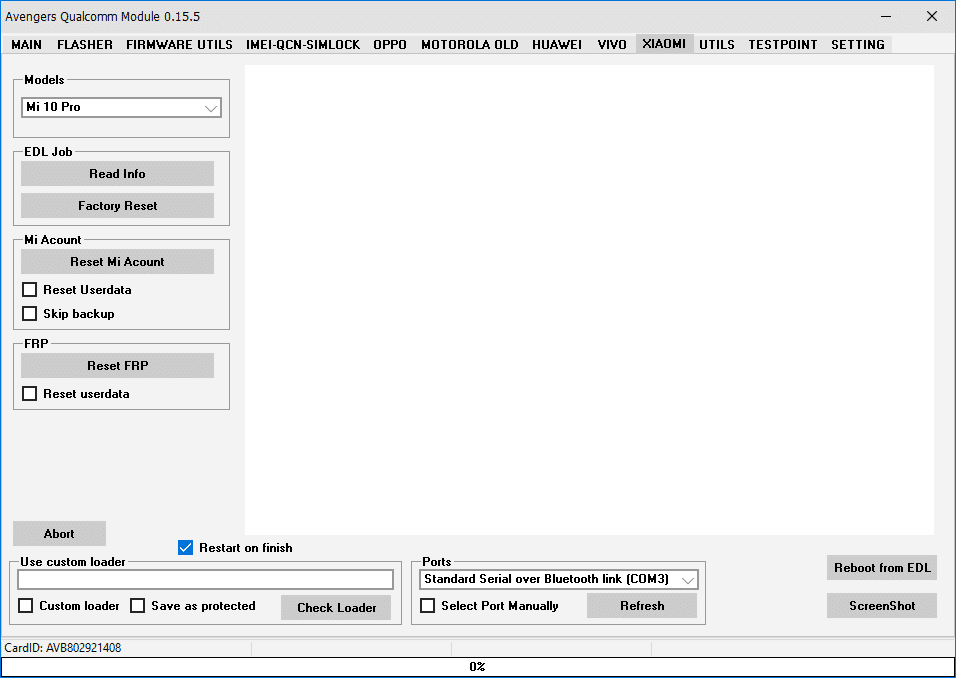
Xiaomi tab in avengers qualcomm module v0. 15. 5 showing edl job mi account reset and frp reset options for mi 10 pro and other models
Testpoint
- Huawei
- Lenovo
- Nokia
- Oppo
- Samsung
- Vivo
- Xiaomi
- Zte
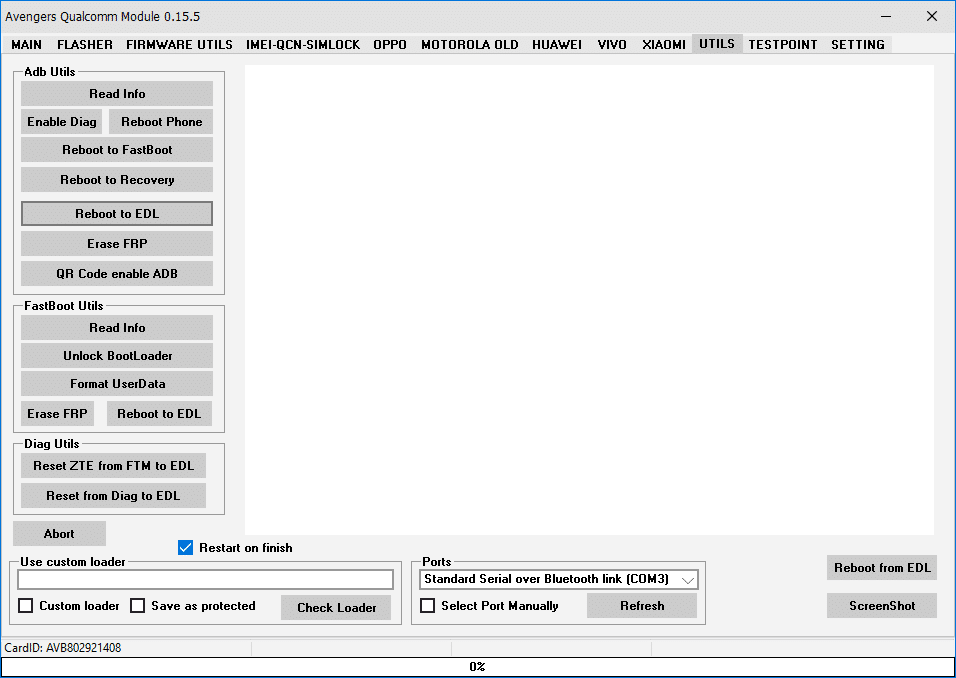
Utils tab in avengers qualcomm module v0. 15. 5 showing adb utils fastboot utils and diag utils sections for reboot frp erase and bootloader functions
Why Choose Avengers Qualcomm For Repair Work
There Are Plenty Of Flashing Tools Out There So It’s Fair To Ask What Makes This One Worth Your Time. The Biggest Reason Is Consolidation: Instead Of Paying For Separate Licenses Or Boxes For Frp Imei And Firmware Work You Get Most Of That Under A Single Login. Updates Also Tend To Roll Out At A Steady Pace Which Matters A Lot In This Line Of Work Since New Security Patches And Firmware Versions Can Break Older Workflows Overnight. A Tool That Keeps Up With Those Changes Saves You From Constantly Hunting For Workarounds.
There’s Also The Learning Curve To Consider. Once You’ve Used Avengers Qualcomm On A Handful Of Devices The Menu Layout Starts To Feel Familiar And You Stop Second-guessing Which Mode A Phone Needs. That Consistency Is Worth More Than It Sounds Especially On Busy Days When You’re Moving Between Five Or Six Different Brands. For A Repair Shop Fewer Tools To Manage Usually Means Fewer Things That Can Go Wrong.
Supported Brands And Devices
One Of The Biggest Selling Points Here Is Just How Many Brands The Tool Talks To. Whether You’re Dealing With A Budget Infinix Phone Or A Samsung Stuck In Edl Mode There’s Usually A Dedicated Workflow For It. A Quick Look At The Brand Coverage Includes:
- Xiaomi Oppo Vivo Realme
- Samsung Huawei Motorola
- Alcatel Asus Bq Lenovo Meizu
- Infinix Jio Phone Lyf Nokia
- Zte Tcl Smartisan Sunmi Vertu
This Isn’t A Tool Built For One Brand With A Few Extras Tacked On; It’s Genuinely Multi-brand From The Ground Up.
There’s Also An Auto-detect Device Option Which Saves Time When You’re Not Sure Exactly Which Model You’re Holding Or When A Shop Handles Dozens Of Devices In A Single Day. Instead Of Digging Through A Long Brand List Every Time The Tool Identifies The Connected Device And Points You Toward The Right Job Automatically. For Repair Shops Juggling Walk-in Customers That Small Convenience Adds Up Over A Full Day’s Work.
Download The Avengers Qualcomm Latest Version
Getting The Latest Version Is Straightforward But It’s Worth Being Clear About What “Download” Actually Gets You Here. The Setup File Itself Runs On Its Own But The Tool Only Unlocks Its Full Functionality Once You’ve Got The Avenger Box Or Avengers Dongle Plugged In And An Active License Tied To It. Always Check The Developer’s Official Page Or A Verified Authorized Reseller Before Downloading Or Buying Activation Since This Category Of Tool Attracts A Lot Of Fake Setup Files And Unofficial Activation Cards That Don’t Actually Work. A Few Minutes Spent Verifying The Source Can Save You A Much Bigger Headache And A Wasted Purchase Later.
Before Installing It Also Helps To Have The Right Qualcomm Usb Drivers Set Up On Your Pc Since The Tool Depends On Stable Port Detection For Edl Adb And Fastboot Connections. Most Setup Guides Recommend Installing Drivers First Then Running The Program As Administrator To Avoid Permission Issues. If A Port Doesn’t Show Up Right Away The Refresh Port Option Inside The Tool Usually Solves It Without Needing A Restart. Getting This Groundwork Right Makes The Rest Of The Process Noticeably Smoother.
App Information
Before Getting Into The Details Here’s A Quick Snapshot Of The Current Release So You Know Exactly What You’re Installing:
| Detail | Info |
|---|---|
| Latest Known Version | V0.15.5 (Released 14 May 2026 Per Nck Forum) |
| File Size | 205-210 MB |
| Developer | Avenger Box Team |
| OS support | Windows XP, 7, 8, 10, 11 (32-bit & 64-bit) |
| Hardware required | Avenger Box / Avengers Dongle |
| License | Paid Activation (3houre 6-month 1-year Packages) |
System Requirements Before You Install
A Few Basics On The Pc Side Go A Long Way Toward Avoiding Setup Headaches. The Tool Is Built To Run Across A Wide Range Of Windows Versions From Xp And 7 Through 8 10 And 11 On Both 32-bit And 64-bit Systems So Compatibility Usually Isn’t The Issue. A Stable Internet Connection Helps Too Both During Installation And Whenever The Tool Checks For Updates. It Also Depends On The .net Framework Being Present So It’s Worth Confirming That’s Installed And Current Before Running The Setup File For The First Time.
On The Hardware Side A Free Usb Port With A Decent Quality Cable Makes A Bigger Difference Than People Expect Since A Loose Or Low-quality Cable Is One Of The Most Common Reasons A Device Disconnects Mid-flash. The One Requirement That’s Easy To Forget Is The Avenger Box Or Avengers Dongle Itself Since None Of The Software’s Functions Will Run Without It Plugged In And Licensed. Admin Rights Matter As Well Since Edl And Fastboot Operations Need Permission Levels A Standard User Account Often Doesn’t Have.
Frequently Asked Questions (FAQ)
Is Avengers Qualcomm Free To Use?
No It Isn’t. This Is A Dongle-based Tool So You Need To Own The Physical Avenger Box Or Avengers Dongle And Purchase An Activation License (typically Sold In 6-month 1-year Or 2-year Packages) Before Any Of Its Features Will Actually Work.
Does It Work On Windows 11?
Yes It’s Generally Compatible With Windows 11 As Long As The Required Drivers And .net Framework Are Installed Correctly. If You Run Into Connection Issues Double-check Driver Installation First Since That’s The Most Common Cause Of Problems On Newer Windows Builds.
Can It Repair Imei On Any Qualcomm Phone?
It Supports Imei Read And Write On A Wide Range Of Qualcomm-based Devices Including Dedicated Paths For Oppo And Motorola Phones. That Said Support Can Vary By Exact Model And Chipset So It’s Worth Confirming Your Specific Device Is Listed Before Starting An Imei Job.
Is It Safe To Use For Frp Reset?
When Used Correctly And On Devices You’re Authorized To Work On Frp Reset Through Avengers Qualcomm Follows The Same Edl Or Adb-based Process Other Reputable Tools Use. As With Any Flashing Operation Backing Up Data First And Following The Correct Steps For Your Device Brand Reduces The Risk Of Running Into Trouble.
Final Thoughts
Avengers Qualcomm Isn’t Trying To Reinvent How Qualcomm-based Repair Work Gets Done But It Does Bring A Lot Of Scattered Functions Into One Place. From Edl And Frp Jobs To Firmware Flashing And Imei Repair It Covers The Kind Of Work That Comes Up Again And Again In Repair Shops. If You’ve Been Juggling Multiple Programs For Different Brands Switching To One Tool With This Much Coverage Can Genuinely Simplify Your Routine.
As Always Download From Official Or Trusted Sources Keep Your Drivers Updated And Back Up Data Before Any Major Operation. That Mix Of Caution And The Right Tool Makes A Real Difference In How Smoothly Your Repair Jobs Go.
Avengers Qualcomm Module
[Click Here to Rent This Tool on WhatsApp] (Paid)
Download Link:: Usersdrive – Mediafire – 4shared – My.pcloud – Playbook – Google Drive – DropBox – Mega – Vexfile – Drive.Proton